
Technology
How Poorly Run Hybrid Meetings Hurt Productivity and How to Avoid It

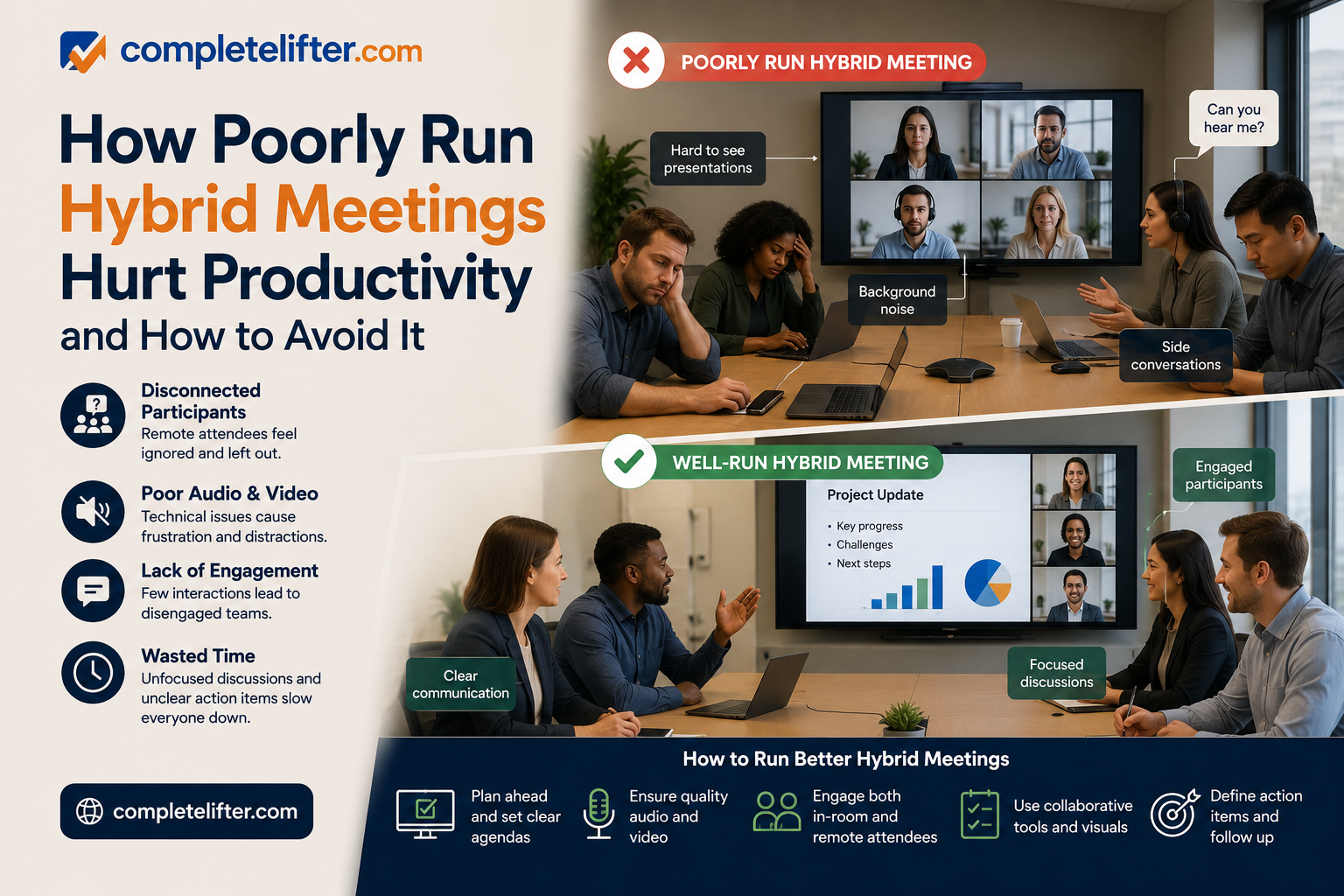
The rapid shift to flexible work has created a specific operational villain: the poorly managed hybrid meeting.
We have all been in one. Five people are sitting in a conference room, laughing at a joke that the three people on Zoom couldn’t hear. The camera is pointed at a whiteboard that is illegible to the remote participants. The connection stutters. Eventually, the remote employees mute themselves, turn off their cameras, and check out completely.
This is not just a technical annoyance; it is a productivity drain. When hybrid meetings are run without a specific strategy, they create a “two-tier” workforce where in-office employees are participants and remote employees are observers.
Here is an expert analysis of how bad hybrid practices bleed revenue and how to re-architect your meetings for equity and efficiency.
How Do Poorly Run Hybrid Meetings Affect Employee Productivity
Poorly run hybrid meetings degrade productivity by creating “Presence Disparity,” where remote workers struggle to hear audio or see visual context, leading to cognitive fatigue. This exclusion causes disengagement, forces teams to schedule follow-up meetings to clarify information missed during the call, and ultimately slows down decision-making velocity by creating information silos.
The Cognitive Load of Exclusion
The human brain is wired to process audio and visual cues simultaneously to understand intent. In a bad hybrid meeting, these cues are mismatched or missing entirely.
Remote participants often suffer from “Cognitive Overload.” They strain to decipher side conversations, identify who is speaking in a crowded room, or read the body language of a manager who is off-camera. When the brain works this hard just to follow the conversation, it has no energy left to contribute to it. This effectively silences your remote talent, meaning you are paying for their time but losing their expertise.
Furthermore, bad hybrid meetings create rework. If the remote team misses a critical decision because it was whispered at the end of the table after the laptop was closed, they will continue working on the wrong trajectory. This leads to the “Meeting after the Meeting”-a common phenomenon where managers have to call remote staff individually to recap what happened. This redundancy effectively doubles the time spent on a single topic, destroying efficiency.
What Is “Proximity Bias” And How Does It Impact Hybrid Teams
Proximity Bias is the unconscious tendency for leaders to favor, promote, and listen to employees who are physically closer to them. In hybrid meetings, this manifests as “Room Dominance,” where in-person attendees control the dialogue, causing remote workers to feel undervalued and significantly increasing the risk of high-performer attrition.
The “Out of Sight, Out of Mind” Danger
Proximity bias is the silent killer of hybrid culture. It is an evolutionary trait; we trust what we can see. In a conference room, making eye contact is natural. It is easy to point to someone across the table and ask, “What do you think?” It takes conscious, deliberate effort to look at a camera lens and ask the same question to a screen.
The Data on Disparity:
According to a study by HubSpot, 49% of remote workers identify “staying motivated” as a major challenge, often due to feeling disconnected from the core team. More alarmingly, Gartner research indicates that remote workers are promoted less frequently than their in-office counterparts, despite equal or higher performance output.
When hybrid meetings reinforce this bias by allowing the physical room to dominate the conversation, you are actively signaling to your remote talent that they are second-class citizens. Over time, this psychological distance morphs into professional detachment. The remote employee stops offering ideas, stops engaging in culture, and eventually leaves for a “Remote-First” competitor that values their input regardless of their zip code.
How Can Technology Improve Hybrid Meeting Efficiency
Technology improves efficiency by bridging the physical-digital divide. This includes “Smart Hardware” (360-degree cameras/microphones) to equalize audio-visual presence and “Context-Aware Software” that unifies meeting artifacts (chats, docs, recordings) into a single timeline so that context isn’t lost when the video call ends.
The Hardware Gap: Fixing the Audio-Visual Experience
You cannot run a 2025 meeting with 2015 hardware. The standard setup-a single laptop webcam at the end of a long table-creates the “Bowling Alley” effect. Remote participants see a tiny, distant group of people who look like ants.
To fix this, companies must invest in “Smart” conference technology. Tools like the Meeting Owl or Logitech Rally use 360-degree cameras and voice-tracking microphones. When a person in the room speaks, the camera automatically zooms in on their face. This allows remote participants to read facial expressions, which constitute 55% of human communication according to the Mehrabian rule. Without this visual data, misunderstandings skyrocket.
The Software Gap: Solving Context Loss
However, hardware only solves the during-meeting experience. The biggest failure of hybrid meetings is often the loss of context surrounding the meeting.
Often, the “real” meeting happens in the five minutes before the call starts (the watercooler chat) or the five minutes after it ends (the hallway debrief). Remote people miss this entirely. Furthermore, the chat log in Zoom often disappears once the window closes, meaning any links or side notes are lost.
To fix this, innovative companies are turning to context-preservation platforms like Clariti. As an AI-powered hybrid conversation and business chat app, it helps level the playing field by organizing work by “Topic.” Instead of the pre-meeting email, the live chat during the meeting, Clariti bundles them into one unified hybrid conversation. This ensures that a remote worker can see the entire history of the decision, including the casual chat that happened digitally, ensuring they have the same context as the person sitting in the office.
What Are The Best Practices For Facilitating Inclusive Hybrid Meetings
Facilitators must enforce the “Remote-First” rule (remote participants speak first), assign an in-room “Digital Moderator” to monitor the chat for questions, ban physical whiteboards in favor of digital canvas tools (Miro/Mural), and eliminate side conversations that the microphone cannot pick up.
The New Rules of Engagement
A hybrid meeting cannot be run on autopilot. It requires a facilitator who acts more like a TV producer than a traditional manager. Here are three non-negotiable rules for success:
1. The “One Person, One Screen” Option
Paradoxically, the best way to fix a hybrid meeting is sometimes to destroy it. If 4 people are in the office and 3 are at home, ask the 4 in the office to return to their desks and log in individually. This creates a fully virtual environment where everyone occupies an equal-sized tile on the screen. It is the great equalizer.
2. The Digital Canvas
Never write on a physical whiteboard in a hybrid meeting. The remote team sees nothing but a blurry glare and the back of the presenter’s head. Instead, use digital whiteboards like Miro, Mural, or Lucidspark. If brainstorming is required, everyone in the room or out looks at their laptop to contribute sticky notes. This equalizes the contribution mechanism.
3. The Chat Monitor
Designate one person in the room to watch the Zoom/Teams chat. In hybrid meetings, remote workers often feel awkward interrupting the flow of conversation verbally, so they type their questions. If no one reads them, they are ignored. The Chat Monitor’s job is to interrupt the room and say, “Sarah just posted a great question in the chat,” ensuring the “digital hand raise” is respected.
How Much Do Ineffective Meetings Cost Businesses Annually
Ineffective meetings cost US businesses an estimated $37 billion annually. For a standard organization, a single weekly hour-long meeting with 10 attendees costs approximately $25,000 per year in salaries alone. When you factor in the “recovery time” (approx. 20 minutes) needed to refocus after a bad meeting, the cost doubles.
The Financial Drain of Sync
Most leaders view meetings as “free” time because there is no invoice attached to them. They are incorrect. Meetings are the most expensive activity a company engages in because they consume the synchronous time of multiple high-salaried individuals.
When a hybrid meeting is run poorly, meaning it starts late due to tech issues, or requires a recap because half the team couldn’t hear, the ROI plummets.
Table: The True Cost of Synchronous Meetings
| Team Size | Avg Salary | Meeting Frequency | Annual Cost of Meetings |
| 5 People | $80,000 | 2 hours/week | $20,000 |
| 10 People | $100,000 | 3 hours/week | $75,000 |
| 20 People | $120,000 | 5 hours/week | $300,000+ |
Note: This calculation only includes base salary. The “Opportunity Cost” the value of the work NOT being done during this time, likely triples these figures.
How Can Asynchronous Communication Reduce The Need For Hybrid Meetings
Asynchronous communication reduces the need for meetings by allowing teams to share status updates, review documents, and provide feedback on their own schedules. By moving “information sharing” to written threads and reserving meetings only for “decision making,” companies can reduce meeting volume by up to 30%, minimizing hybrid friction.
Moving from “Sync” to “Async”
The ultimate solution to a bad hybrid meeting is often to cancel it.
Most hybrid meetings are simply status updates disguised as gatherings. “Let’s go around the room and say what we are working on.” This is fatal in a hybrid setup because it bores everyone and creates tech friction for very little value.
These updates should be moved to asynchronous channels. If the goal is simply to share information, writing is superior to speaking.
This is the second area where Clariti proves essential to modern workflows. By allowing teams to create conversations that link emails, documents, and chats, it facilitates “slow meetings.” A manager can post a query regarding a project update at 9 AM, the remote team can answer at 11 AM, and the in-office team can review it at 2 PM. The result is the same alignment, but without the frustration of a glitchy video call or the massive cost of synchronous time.
The “Read Before You Meet” Policy
For meetings that must happen (like complex problem solving), implement a pre-read policy. Circulate a memo 24 hours in advance outlining the context. The meeting time is then used strictly for debate and decision-making, not for catching everyone up. This reduces the meeting length and keeps remote participants engaged, as the conversation is high value rather than passive listening.
Conclusion
The hybrid work model is not a temporary phase; it is the new operating system of business. According to Gallup, 53% of remote-capable employees expect a hybrid arrangement to go forward. Companies that force a full return to the office risk losing talent, while companies that go fully remote risk losing connection.
However, “Hybrid” does not mean “Business as Usual + a Webcam.” It requires a fundamental re-architecting of how we collaborate.
We must stop treating remote employees as observers peering into a physical room through a keyhole. By investing in the right hardware to equalize presence, adopting context-aware software to preserve information, and ruthlessly eliminating meetings that could be emailed, leaders can turn the hybrid model from a liability into a competitive advantage.
The goal is to build a culture where location is irrelevant to contribute. When you get the hybrid meeting right, you stop managing where people sit and start managing the value they create.



Digital art has developed well beyond basic illustration and image editing. In today’s world, artists have become multi-talented, working in various fields such as concept design, animation, 3D modeling, visual effects, and content creation. All these require mobility and flexible computing capabilities that conventional desktop computers alone cannot offer.
It is the duty of creative experts as well as decision-makers to invest wisely in the right technology in order to increase productivity and improve the quality of work. This includes artists being able to work together remotely, deliver faster, and handle more complicated creative projects. This demands something better than just a normal desktop system.
As the creative industries grow bigger and bigger, artists require technology that caters not only for performance but also to flexibility.
Modern Creative Workflows Have Changed
In the last ten years, digital artists’ duties have increased a lot. Professionals using the SideFX Houdini and Ryzen workstation use high-resolution assets, sophisticated rendering software, animation software, and design software that require extensive computer capabilities.
Creative projects rarely stay within a single software environment. Artists frequently move between drawing applications, 3D software, rendering engines, and collaboration platforms throughout the day. This requires systems that can handle multiple demanding tasks simultaneously.
Traditional desktop PCs still provide valuable processing power, but many modern creative workflows require additional flexibility that goes beyond a fixed workstation environment.
Direct-Screen Drawing Creates a More Natural Experience
For that reason, many artists favor the use of pen displays and interactive displays because of their increased level of comfort when creating art. In essence, these devices act as a mediator between the old ways of making art and digital means of art creation.
Artists can actually draw on the screen, just like in the case of the traditional way of doing art. The increased accuracy that comes with drawing directly on the screen makes the process more comfortable.
There is reduced disconnection from what one is seeing on the screen since one is drawing directly on the screen using the pen display.
Portability Supports Creativity Everywhere
Such creative thoughts need not necessarily strike one while he is seated behind his desk. Rather, in many cases, artists get their inspiration while traveling, talking to clients, attending some sort of event, or even working from afar from a remote office. The use of portable computers allows the artist to remain creative at all times.
The tablet computer or mobile workstation gives artists the mobility that is required in today’s production environment. Artists have instant access to their creative tool.
This mobility also improves collaboration. Team members can review concepts, share updates, and present work more efficiently when creative tools are available outside the office.

Content Creation Requires More Flexibility
Many digital artists are also content creators. Apart from creating art, they also make tutorials, make videos about the process, stream live projects, and update people using several different channels.
The modern artist’s pipeline involves editing video, managing social media posts, and prepping files for different online media. This requires adaptable systems that can handle many different types of software.
Though desktop computers still have value in heavy-duty projects, modern artists need more than that – they also require other gadgets to help in their work.
Hybrid Setups Deliver the Best Balance
Rather than replacing desktop systems entirely, many professionals build hybrid creative environments. These setups combine powerful workstations with mobile devices and specialized creative tools.
Artists working with a SideFX Houdini Standard Edition workstation often benefit from combining desktop-level performance with portable drawing solutions that support creativity away from the primary workspace.
This approach allows artists to use the right tool for each task. Heavy-duty rendering and simulation are reserved for more powerful hardware, whereas sketching, critique sessions, and conceptualizing take place on portable hardware.
Better Ergonomics Improve Long-Term Productivity
Artists and designers tend to work for extended periods on very intricate tasks. Ergonomic issues may cause exhaustion, discomfort, and loss of efficiency.
There are several alternative input devices and drawing surfaces that allow artists to use more ergonomic positions while working. Screenless tablets, flexible screens, and mobile drawing options provide greater freedom of movement than fixed desktop setups.
Ergonomics can make a great difference to an artist’s productivity. Comfortable artists can concentrate for longer periods and deliver better results.
Specialized Hardware Supports Advanced Projects
The more complex the digital project, the higher the demands on the hardware are. Complex tasks such as high-resolution textures, 3D modeling, and simulation cannot be done without powerful computer equipment.
Artists who create animations, visual effects, and procedural designs need special hardware in order to perform their creative activities without any obstacles.
Using a combination of special workstations and additional creative tools will allow the artists to complete their challenging tasks on time.

Building Creative Environments for the Future
Flexibility, performance, and adaptability will determine the future of digital art. Digital artists dependent on conventional desktop PCs will increasingly find it harder to meet the demands of creativity.
Unlike companies like Puget Systems and BOXX Technologies, Cloud Ninjas specializes in providing solutions for creative people who need both performance and workflow-optimized solutions. This niche market caters to the needs of the contemporary digital artist.
It takes more than just computing power to be successful in today’s creative world. The best environments consist not only of workstations but also of mobility, ergonomics, and workflow flexibility.
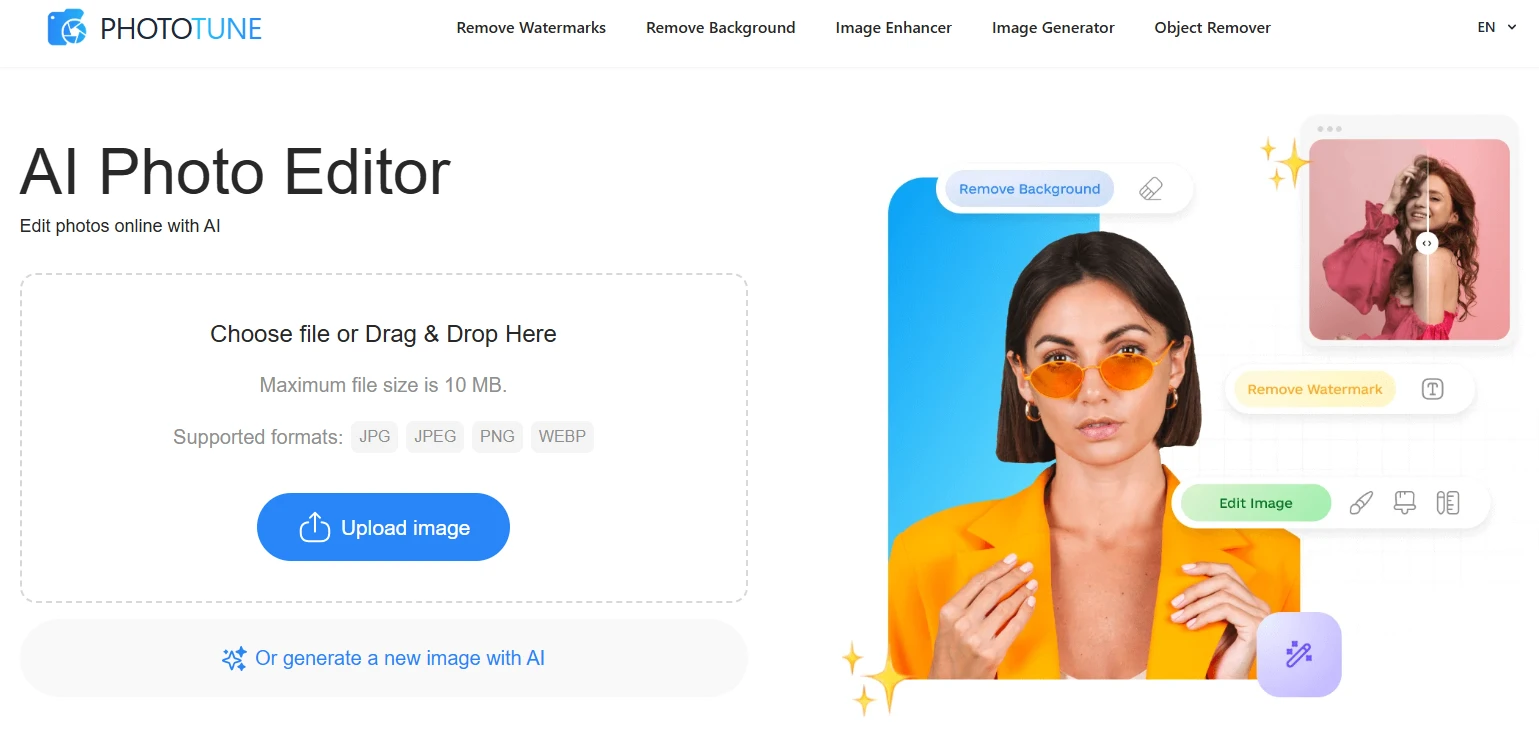
Most people don’t wake up thinking, “I want to edit an image.” They want a cleaner product photo, a sharper thumbnail, or a background that doesn’t distract from the subject. The editing itself is just a step in between. That’s the angle from which Phototune makes sense.
Instead of presenting a complex workspace full of panels and sliders, the platform is structured around specific outcomes. You choose what you need: remove a background, enhance quality, delete an object, clear a watermark, or generate something entirely new. Each task lives on its own page, with its own straightforward upload-and-process flow.
This kind of structure matters more than it seems. When someone is preparing ten product photos for an online store, the difference between “open editor and figure it out” and “upload, select action, download” becomes very real. The friction adds up.
Generating images when there is no photo yet
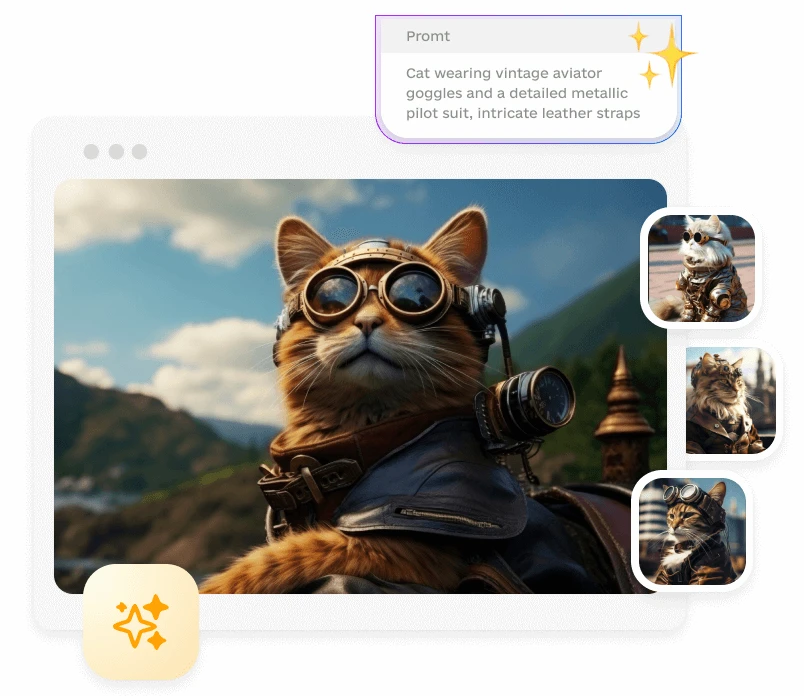
Not every project starts with a camera file. Sometimes you only have an idea — a scene, a mood, a concept for a blog header or a Pinterest visual. In those cases, an AI image generator fills the gap.
Inside Phototune, image generation is treated as its own tool rather than an add-on. You type a description, adjust basic settings like style or ratio, and receive visual variations. For creators working on YouTube thumbnails or marketers drafting ad concepts, this can function as a sketchbook. It’s not about perfection on the first try; it’s about exploring directions quickly.
What makes this useful in practice is iteration. You can test a minimal background, then try a more dynamic scene. If one version feels too busy, you simplify the prompt. The process becomes conversational rather than technical.
Cleaning and refining existing photos
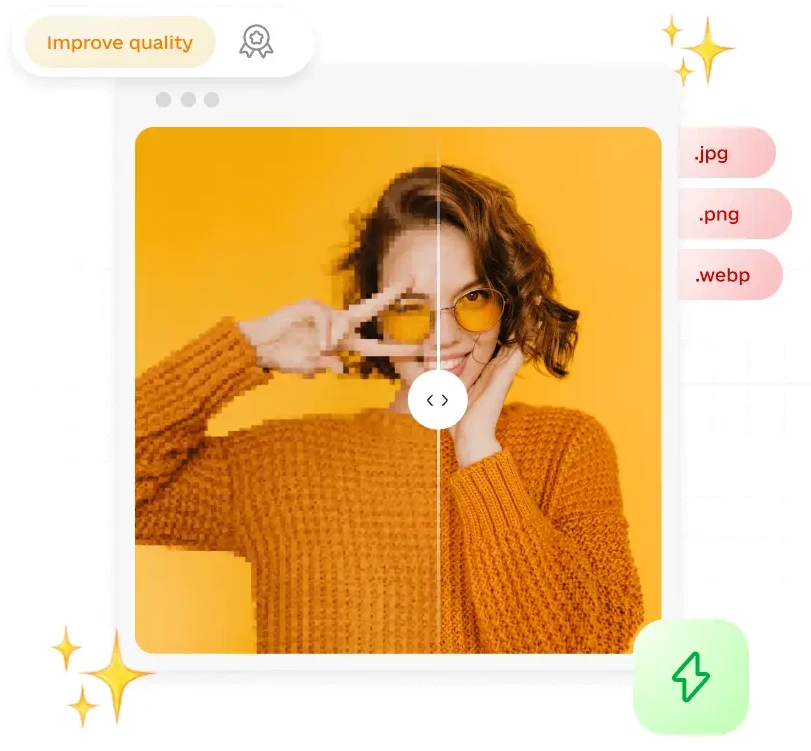
Where the platform becomes especially practical is in photo correction. Background removal is one of the most common tasks. A seller with handmade products might photograph items on a kitchen table, only to realize later that the background feels cluttered. With a dedicated removal tool, the subject is separated and can be placed on a neutral or stylized backdrop.
Quality enhancement works similarly. A slightly blurry or low-resolution image doesn’t always need to be discarded. Upscaling and sharpening can restore clarity for web use. This is helpful when resizing for banners or cropping tightly for social media formats.
There’s also an object remover designed for small corrections. Imagine a café interior photo with a distracting sign on the wall. Instead of rebuilding the scene manually in a traditional editor, you highlight the unwanted area and let the system reconstruct the texture. It won’t replace advanced retouching in every scenario, but for everyday fixes it often does enough.
Handling watermarks and visual interruptions

Watermarks can complicate early-stage workflows. Sometimes you’re reviewing drafts or mockups that include overlay marks. Before deciding whether to license or publish an image, you may want to see how it looks clean.
Phototune includes a focused tool for that situation. The process stays narrow: upload the image, mark the area if needed, and preview the adjusted version. If you need to remove a watermark from a photo, the goal is not to transform the image but to restore continuity in the affected area so you can evaluate it properly.
In business contexts, this tends to show up during content planning. A marketing team testing layouts for Facebook ads or an ecommerce seller comparing listing visuals might want a clearer preview before finalizing assets. The removal step becomes part of internal preparation rather than a separate technical project.
Why the “all-in-one” structure changes the workflow
The key advantage of Phototune isn’t that it does something entirely new. It’s that related tools live in the same environment. Generation, cleanup, enhancement, and object removal are part of one ecosystem. That reduces the mental shift between steps.
A practical example: a designer generates a concept image, enhances it slightly for clarity, removes a small unwanted detail, and exports it — all without switching platforms. The sequence feels linear. There’s no need to convert formats or relearn interfaces halfway through.
For creators, small businesses, and teams handling their own visuals, that continuity matters. It keeps attention on the idea rather than the software. And over time, that shift — from tool management to visual decision-making — is what actually simplifies online image editing.
What Is SSSX.io? A Closer Look at the X Video Downloader
A tool built around one specific task
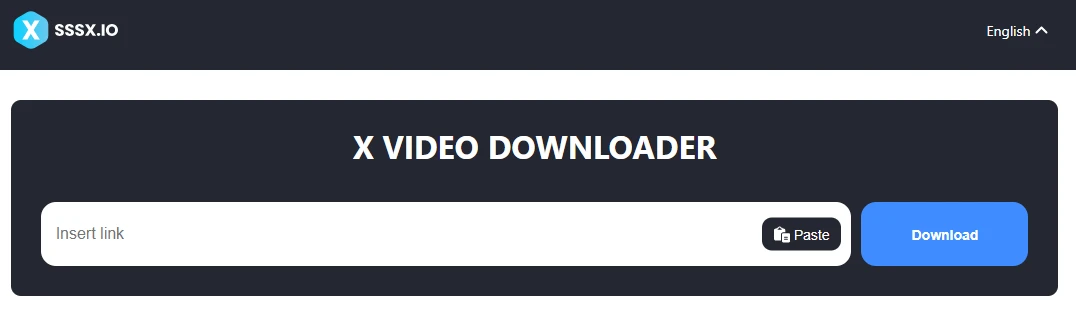
SSSX.io is a browser-based utility created for downloading public videos from X, previously known as Twitter. It does not function as a content platform or media host. Its purpose is limited and very clear: take a public post link and generate a downloadable MP4 file.
There is no account registration. No software installation. No extensions required. The interface is minimal because the workflow is minimal. You copy the post URL, paste it into the field, and the system processes the available video streams.
That narrow focus is part of the appeal. Many users prefer tools that perform a single task reliably instead of offering complex dashboards.
How the download process works
When a public X link is inserted, the system scans the post for available video sources. If the upload includes multiple resolutions, they appear as selectable options.
Typical workflow looks like this:
- Copy the link to a public video post on X
- Paste the link into the input field
- Wait while available video qualities are detected
- Select the preferred resolution
- Download the MP4 file
The file is delivered in MP4 format, which works across operating systems without additional conversion.
On desktop devices, the video usually appears in the default Downloads folder. On Android, it is stored in standard device storage. On iPhone, the file can be saved in the Files app and accessed offline later.
Many users interact with sssx.io only for a few seconds per session. Paste. Choose. Download. Close the tab.
Common reasons people download videos from X
Not everyone downloads content for the same reason. Some examples are practical.
Content creators often archive viral clips to study structure and pacing. They pause at specific timestamps and examine how captions are timed or how the message is introduced.
Journalists sometimes preserve public posts for documentation. Researchers build small collections of reference material. Even regular users may want offline access during travel or limited connectivity.
Here are typical use cases:
- Offline viewing without relying on network access
- Archiving public clips for research
- Studying viral content structure
- Saving educational or instructional videos
- Keeping personal collections of memorable posts
In these scenarios, using an SSSX video downloader simplifies the workflow.
Key features at a glance
Below is a summary of what the tool offers and what it does not.
| Feature | Description |
|---|---|
| Public video support | Works with publicly accessible X posts |
| MP4 format | Downloads videos in a widely compatible format |
| Browser-based | No installation required |
| Multi-device support | Compatible with desktop and mobile browsers |
| No login required | Does not request X credentials |
| No private content access | Cannot retrieve restricted posts |
Video quality depends entirely on the original upload. If the source was compressed, the downloaded file will reflect that. The tool does not enhance resolution beyond what is available.
What SSSX.io is not
It is not affiliated with X. It does not host video libraries. It does not store personal media collections.
It operates as a standalone utility that processes publicly available video data when a valid link is provided.
Users remain responsible for respecting platform policies and copyright considerations when handling downloaded media.
A practical utility rather than a platform
The reason people return to tools like SSSX.io is usually convenience. The process is predictable and short. There are no extra layers between the user and the file.
Instead of scrolling back through timelines or relying on bookmarks, the video is already stored locally and can be viewed without an internet connection.
For users who regularly save public clips from X, a focused browser tool tends to integrate naturally into their routine. It performs one function and then steps aside.
That simplicity is ultimately what defines SSSX.io.

Modern people are almost never offline. Messages arrive around the clock, new contacts appear with just a couple of clicks, and meeting someone from another country has become commonplace. The internet has given us a sense of an open world where everyone can be heard. But along with this, it has also brought the paradox of digital loneliness — a state where there are many people around, but an inner feeling of emptiness remains.
Generation Z has grown up in this reality. For them, the online world is not an alternative, but the main space of their lives. This is where they study, fall in love, make friends, and experience breakups. Dating apps have become a common way to take the first step. They remove awkwardness and provide a sense of control and security. But the easier it is to start a conversation, the harder it is to maintain depth in it.
Artificial intelligence is increasingly acting as an intermediary between people. It matches people, analyzes interests, and even the pace of communication. It seems that the search for love can be automated. But feelings still elude formulas. You can be a perfect match on paper and feel nothing. That is why in the digital world, it is not the perfect profile that is increasingly valued, but a lively presence.
Digitalization has opened the door to communication with strangers and foreigners. Conversations have become a way to go beyond one’s own circle, hear about other experiences, and feel part of the big world. The Internet is no longer just a technology — it has become a space where people are particularly eager to find resonance and understanding.
Dating apps and artificial intelligence: convenience with side effects
Dating apps have changed the very logic of searching for relationships. They offer choice, filters, and the illusion of endless possibilities. For Generation Z, this is a familiar format in which it is easy to start a conversation and just as easy to end it. This approach reduces the fear of rejection but creates a superficial attitude toward contacts.
Artificial intelligence amplifies this effect. It learns from user behavior, tailors recommendations, and raises “suitable” profiles higher. As a result, expectations grow. It seems that somewhere further down the line, there is bound to be someone better. This makes it difficult to focus on a specific person and a real conversation.
Many young people admit to being tired of online dating. Dialogues become repetitive, emotions muted. At the same time, the need for intimacy does not disappear. It simply changes form. More and more often, people are looking not for relationships as a status symbol, but for a sense of connection and acceptance.
In this context, formats that provide more vivid emotions are valued. It is important for users to:
- see the reaction of the interlocutor, not just text;
- feel the intonation and mood;
- avoid long scenarios and expectations;
- maintain freedom and personal boundaries.
Online dating is gradually ceasing to be a race for the perfect match. It is becoming a space for dialogue and self-understanding.
Cam chats and the return of the presence effect
Against the backdrop of fatigue from texting, interest in webcam chats is growing. This format brings back what text lacks — the feeling of a real person on the other side of the screen. Here, the look, pauses, and smile are important. The conversation becomes less controlled and more honest.
Roulette chats such as Insta Cam chat fit organically into modern communication culture. They offer a format of chance encounters without lengthy preparation. The dialogue begins immediately, without questionnaires or expectations. It resembles a short conversation while traveling or a spontaneous chat in a queue.
Communication with foreigners plays a special role. Such dialogues broaden the mind and help to see familiar things from a different angle. Even a few minutes of conversation can leave a feeling of warmth and engagement. The video format reduces anonymity and makes contact more personal.
The digital environment shapes new communication skills. People learn to:
- quickly sense emotional responses;
- respect boundaries even in spontaneous conversation;
- accept brief contact without disappointment;
- appreciate the moment of communication itself.
Video chats are important not for the result, but for the process. They remind us that lively communication is possible even in digital space.
Online loneliness and the search for human warmth
Loneliness on the internet rarely looks like a complete lack of communication. More often, it is a feeling that conversations pass by without really touching you. The feed is updated, dialogues appear and disappear, but the inner desire for closeness remains.
The fight against loneliness begins with a conscious choice of communication format. Not everyone needs long correspondence and clear goals. Sometimes a short, sincere conversation is enough to feel less lonely. Digital tools provide this opportunity if used carefully.
It is important to accept that not every contact has to develop into something more. A brief encounter can be valuable in itself. It gives a sense of another person’s presence and reminds us that we are not alone in our experiences.
Closeness as a conscious choice
The digital age has not deprived people of their ability to feel. It has only changed the path to closeness. Today, it is not the quantity of contacts that matters, but their quality. Sincerity, attention, and a willingness to listen have become the main values of communication.
Generation Z shows that relationships can be flexible, and friendship and love can be multi-layered. Artificial intelligence helps us navigate the flow of people, but it does not replace human involvement. Behind every screen is a living person with their own fears and hopes.
The internet can increase loneliness, or it can help us cope with it. It all depends on how we use digital opportunities. When technology becomes a bridge rather than a barrier, the search for closeness regains its human face.
-
 Health6 months ago
Health Benefits of Daily Exercise: What Science Says
-

 Health2 months ago
15-Minute Beginner Home Workout Plan 2026: No Equipment Needed
-

 Health2 months ago
7 Best Dumbbell Exercises for Skinny Guys to Build Muscle at Home in 2026
-

 Health2 months ago
90-Day Muscle Gain Plan for Hardgainers
-

 Health2 months ago
How to Gain Weight for Skinny Guys
-

 Health2 months ago
Fitness First Bedford Membership, Pricing, Workout Plan & Expert Tips (2026 Guide)
-

 Health2 months ago
National Health Choices: A Complete Guide to Making Better Healthcare Decisions
-

 Health2 months ago
Best Chest and Triceps Workout