Blog
How Poorly Run Hybrid Meetings Hurt Productivity and How to Avoid It

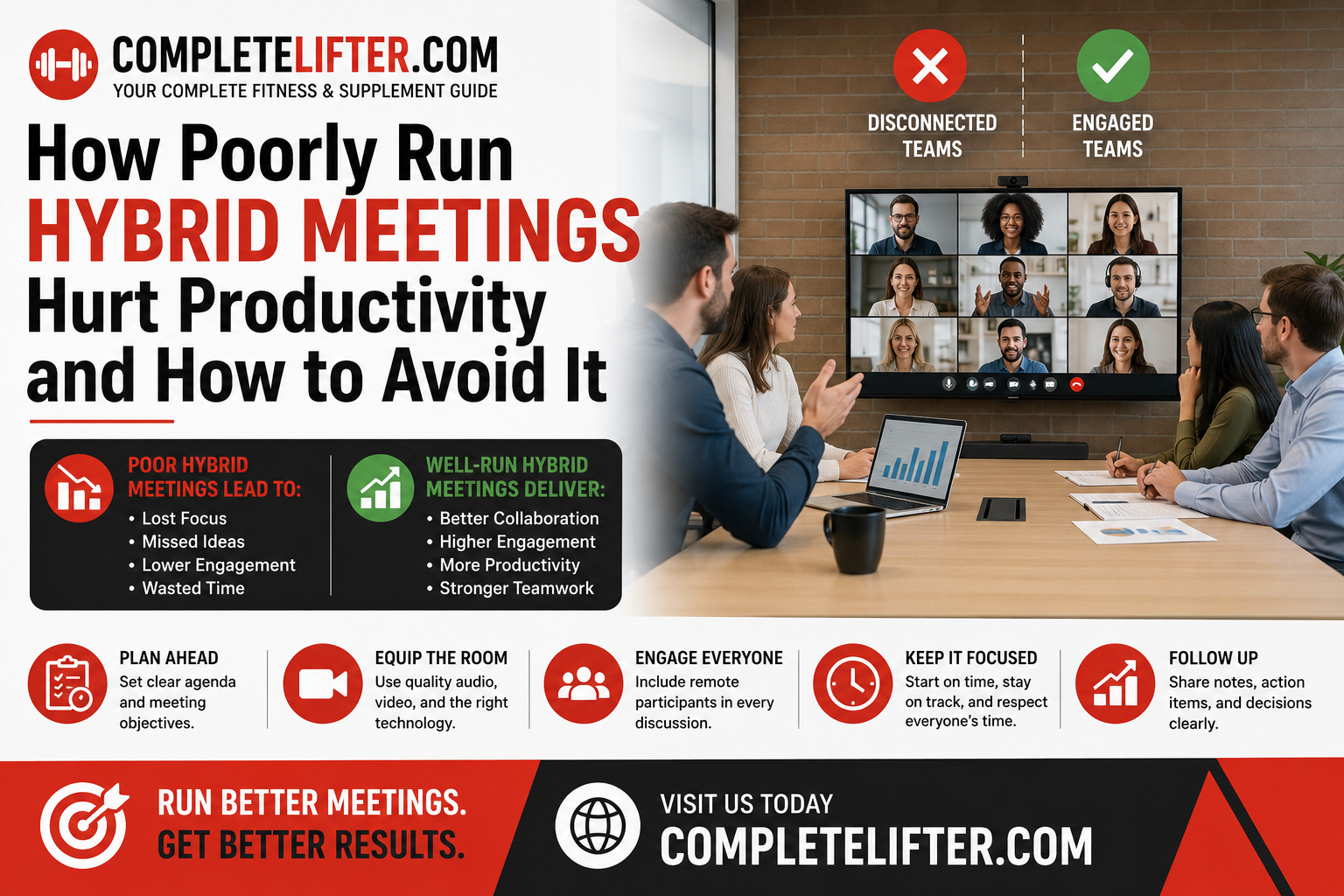
The rapid shift to flexible work has created a specific operational villain: the poorly managed hybrid meeting.
We have all been in one. Five people are sitting in a conference room, laughing at a joke that the three people on Zoom couldn’t hear. The camera is pointed at a whiteboard that is illegible to the remote participants. The connection stutters. Eventually, the remote employees mute themselves, turn off their cameras, and check out completely.
This is not just a technical annoyance; it is a productivity drain. When hybrid meetings are run without a specific strategy, they create a “two-tier” workforce where in-office employees are participants and remote employees are observers.
Here is an expert analysis of how bad hybrid practices bleed revenue and how to re-architect your meetings for equity and efficiency.
How Do Poorly Run Hybrid Meetings Affect Employee Productivity
Poorly run hybrid meetings degrade productivity by creating “Presence Disparity,” where remote workers struggle to hear audio or see visual context, leading to cognitive fatigue. This exclusion causes disengagement, forces teams to schedule follow-up meetings to clarify information missed during the call, and ultimately slows down decision-making velocity by creating information silos.
The Cognitive Load of Exclusion
The human brain is wired to process audio and visual cues simultaneously to understand intent. In a bad hybrid meeting, these cues are mismatched or missing entirely.
Remote participants often suffer from “Cognitive Overload.” They strain to decipher side conversations, identify who is speaking in a crowded room, or read the body language of a manager who is off-camera. When the brain works this hard just to follow the conversation, it has no energy left to contribute to it. This effectively silences your remote talent, meaning you are paying for their time but losing their expertise.
Furthermore, bad hybrid meetings create rework. If the remote team misses a critical decision because it was whispered at the end of the table after the laptop was closed, they will continue working on the wrong trajectory. This leads to the “Meeting after the Meeting”-a common phenomenon where managers have to call remote staff individually to recap what happened. This redundancy effectively doubles the time spent on a single topic, destroying efficiency.
What Is “Proximity Bias” And How Does It Impact Hybrid Teams
Proximity Bias is the unconscious tendency for leaders to favor, promote, and listen to employees who are physically closer to them. In hybrid meetings, this manifests as “Room Dominance,” where in-person attendees control the dialogue, causing remote workers to feel undervalued and significantly increasing the risk of high-performer attrition.
The “Out of Sight, Out of Mind” Danger
Proximity bias is the silent killer of hybrid culture. It is an evolutionary trait; we trust what we can see. In a conference room, making eye contact is natural. It is easy to point to someone across the table and ask, “What do you think?” It takes conscious, deliberate effort to look at a camera lens and ask the same question to a screen.
The Data on Disparity:
According to a study by HubSpot, 49% of remote workers identify “staying motivated” as a major challenge, often due to feeling disconnected from the core team. More alarmingly, Gartner research indicates that remote workers are promoted less frequently than their in-office counterparts, despite equal or higher performance output.
When hybrid meetings reinforce this bias by allowing the physical room to dominate the conversation, you are actively signaling to your remote talent that they are second-class citizens. Over time, this psychological distance morphs into professional detachment. The remote employee stops offering ideas, stops engaging in culture, and eventually leaves for a “Remote-First” competitor that values their input regardless of their zip code.
How Can Technology Improve Hybrid Meeting Efficiency
Technology improves efficiency by bridging the physical-digital divide. This includes “Smart Hardware” (360-degree cameras/microphones) to equalize audio-visual presence and “Context-Aware Software” that unifies meeting artifacts (chats, docs, recordings) into a single timeline so that context isn’t lost when the video call ends.
The Hardware Gap: Fixing the Audio-Visual Experience
You cannot run a 2025 meeting with 2015 hardware. The standard setup-a single laptop webcam at the end of a long table-creates the “Bowling Alley” effect. Remote participants see a tiny, distant group of people who look like ants.
To fix this, companies must invest in “Smart” conference technology. Tools like the Meeting Owl or Logitech Rally use 360-degree cameras and voice-tracking microphones. When a person in the room speaks, the camera automatically zooms in on their face. This allows remote participants to read facial expressions, which constitute 55% of human communication according to the Mehrabian rule. Without this visual data, misunderstandings skyrocket.
The Software Gap: Solving Context Loss
However, hardware only solves the during-meeting experience. The biggest failure of hybrid meetings is often the loss of context surrounding the meeting.
Often, the “real” meeting happens in the five minutes before the call starts (the watercooler chat) or the five minutes after it ends (the hallway debrief). Remote people miss this entirely. Furthermore, the chat log in Zoom often disappears once the window closes, meaning any links or side notes are lost.
To fix this, innovative companies are turning to context-preservation platforms like Clariti. As an AI-powered hybrid conversation and business chat app, it helps level the playing field by organizing work by “Topic.” Instead of the pre-meeting email, the live chat during the meeting, Clariti bundles them into one unified hybrid conversation. This ensures that a remote worker can see the entire history of the decision, including the casual chat that happened digitally, ensuring they have the same context as the person sitting in the office.
What Are The Best Practices For Facilitating Inclusive Hybrid Meetings
Facilitators must enforce the “Remote-First” rule (remote participants speak first), assign an in-room “Digital Moderator” to monitor the chat for questions, ban physical whiteboards in favor of digital canvas tools (Miro/Mural), and eliminate side conversations that the microphone cannot pick up.
The New Rules of Engagement
A hybrid meeting cannot be run on autopilot. It requires a facilitator who acts more like a TV producer than a traditional manager. Here are three non-negotiable rules for success:
1. The “One Person, One Screen” Option
Paradoxically, the best way to fix a hybrid meeting is sometimes to destroy it. If 4 people are in the office and 3 are at home, ask the 4 in the office to return to their desks and log in individually. This creates a fully virtual environment where everyone occupies an equal-sized tile on the screen. It is the great equalizer.
2. The Digital Canvas
Never write on a physical whiteboard in a hybrid meeting. The remote team sees nothing but a blurry glare and the back of the presenter’s head. Instead, use digital whiteboards like Miro, Mural, or Lucidspark. If brainstorming is required, everyone in the room or out looks at their laptop to contribute sticky notes. This equalizes the contribution mechanism.
3. The Chat Monitor
Designate one person in the room to watch the Zoom/Teams chat. In hybrid meetings, remote workers often feel awkward interrupting the flow of conversation verbally, so they type their questions. If no one reads them, they are ignored. The Chat Monitor’s job is to interrupt the room and say, “Sarah just posted a great question in the chat,” ensuring the “digital hand raise” is respected.
How Much Do Ineffective Meetings Cost Businesses Annually
Ineffective meetings cost US businesses an estimated $37 billion annually. For a standard organization, a single weekly hour-long meeting with 10 attendees costs approximately $25,000 per year in salaries alone. When you factor in the “recovery time” (approx. 20 minutes) needed to refocus after a bad meeting, the cost doubles.
The Financial Drain of Sync
Most leaders view meetings as “free” time because there is no invoice attached to them. They are incorrect. Meetings are the most expensive activity a company engages in because they consume the synchronous time of multiple high-salaried individuals.
When a hybrid meeting is run poorly, meaning it starts late due to tech issues, or requires a recap because half the team couldn’t hear, the ROI plummets.
Table: The True Cost of Synchronous Meetings
| Team Size | Avg Salary | Meeting Frequency | Annual Cost of Meetings |
| 5 People | $80,000 | 2 hours/week | $20,000 |
| 10 People | $100,000 | 3 hours/week | $75,000 |
| 20 People | $120,000 | 5 hours/week | $300,000+ |
Note: This calculation only includes base salary. The “Opportunity Cost” the value of the work NOT being done during this time, likely triples these figures.
How Can Asynchronous Communication Reduce The Need For Hybrid Meetings
Asynchronous communication reduces the need for meetings by allowing teams to share status updates, review documents, and provide feedback on their own schedules. By moving “information sharing” to written threads and reserving meetings only for “decision making,” companies can reduce meeting volume by up to 30%, minimizing hybrid friction.
Moving from “Sync” to “Async”
The ultimate solution to a bad hybrid meeting is often to cancel it.
Most hybrid meetings are simply status updates disguised as gatherings. “Let’s go around the room and say what we are working on.” This is fatal in a hybrid setup because it bores everyone and creates tech friction for very little value.
These updates should be moved to asynchronous channels. If the goal is simply to share information, writing is superior to speaking.
This is the second area where Clariti proves essential to modern workflows. By allowing teams to create conversations that link emails, documents, and chats, it facilitates “slow meetings.” A manager can post a query regarding a project update at 9 AM, the remote team can answer at 11 AM, and the in-office team can review it at 2 PM. The result is the same alignment, but without the frustration of a glitchy video call or the massive cost of synchronous time.
The “Read Before You Meet” Policy
For meetings that must happen (like complex problem solving), implement a pre-read policy. Circulate a memo 24 hours in advance outlining the context. The meeting time is then used strictly for debate and decision-making, not for catching everyone up. This reduces the meeting length and keeps remote participants engaged, as the conversation is high value rather than passive listening.
Conclusion
The hybrid work model is not a temporary phase; it is the new operating system of business. According to Gallup, 53% of remote-capable employees expect a hybrid arrangement to go forward. Companies that force a full return to the office risk losing talent, while companies that go fully remote risk losing connection.
However, “Hybrid” does not mean “Business as Usual + a Webcam.” It requires a fundamental re-architecting of how we collaborate.
We must stop treating remote employees as observers peering into a physical room through a keyhole. By investing in the right hardware to equalize presence, adopting context-aware software to preserve information, and ruthlessly eliminating meetings that could be emailed, leaders can turn the hybrid model from a liability into a competitive advantage.
The goal is to build a culture where location is irrelevant to contribute. When you get the hybrid meeting right, you stop managing where people sit and start managing the value they create.



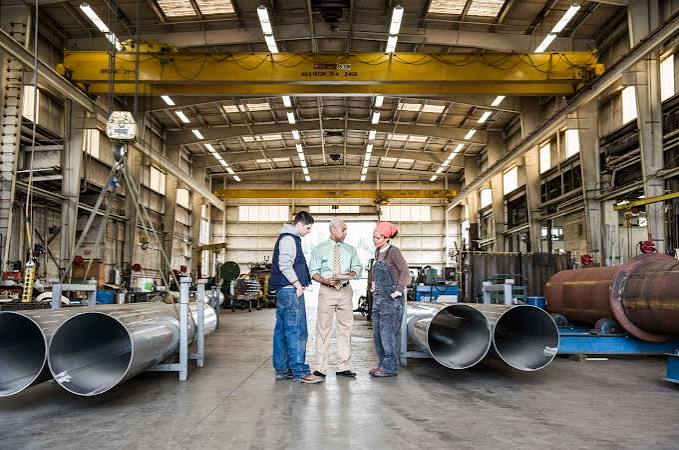
In industries where failure is not an option, the quality of every single component matters. From a life-saving medical device to a satellite orbiting the Earth, the integrity of these products relies on manufacturing processes that meet incredibly strict standards. This is where specialty fabrication comes into play. It’s not just about building parts; it’s about engineering solutions with absolute precision, reliability, and compliance.
For sectors like aerospace, medical, and defense, the margin for error is virtually zero. A microscopic flaw in a weld or a slight deviation in material composition can have catastrophic consequences. As a result, these fields are governed by rigorous regulations and certifications that dictate every step of the manufacturing process. Understanding the role of specialty fabrication is key to appreciating the complexity and skill required to produce components that can perform flawlessly under the most demanding conditions.
The Foundation of Quality: Understanding Industry Standards
Every high-stakes industry operates under a unique set of standards. These aren’t just guidelines; they are legally enforceable requirements that ensure safety, reliability, and interoperability.
For a specialty fabrication shop, achieving and maintaining these certifications is a significant investment. It requires a deep understanding of the regulatory landscape, a dedicated quality management system, and continuous training for all personnel.
The Role of Precision Welding and Advanced Techniques
Welding is often a critical process in specialty fabrication, especially when joining dissimilar materials or creating complex assemblies. In high-stakes applications, a standard weld won’t suffice. Techniques must be precise, repeatable, and verifiable.
Gas Tungsten Arc Welding (GTAW or TIG) is frequently used for its ability to produce clean, high-purity welds. This method offers excellent control over the welding process, making it ideal for thin materials and intricate designs common in aerospace and medical components.
Laser Beam Welding (LBW) provides another level of precision. By using a focused beam of light, LBW can create deep, narrow welds with a very small heat-affected zone. This minimizes distortion and is perfect for delicate components. The process is also highly automatable, which enhances consistency across large production runs.
The process of welding for medical application (DA40) requires extreme cleanliness and precision to create sterile, durable joints for surgical instruments and implants. This ensures the devices are safe and reliable for patient care.
Beyond the technique itself, specialty fabricators use advanced inspection methods to verify the quality of every weld. Non-destructive testing (NDT) methods like X-ray, ultrasonic testing, and dye penetrant inspection allow technicians to identify any internal or external flaws without damaging the part.
Material Selection and Traceability
The choice of material is just as important as the fabrication process. In regulated industries, materials must exhibit specific properties, such as high strength-to-weight ratios, corrosion resistance, or biocompatibility. Common materials in specialty fabrication include:
Equally critical is traceability. Fabricators must be able to trace every piece of material back to its original source. This “cradle-to-grave” documentation is a core requirement of standards like AS9100 and ISO 13485. It ensures that if a problem ever arises with a component, the affected batch of material can be quickly identified and addressed.
Partnering for Success
Choosing a specialty fabrication partner is a critical decision. It’s about more than just finding a vendor who can make a part; it’s about finding a partner who understands the intricacies of your industry. Look for a fabricator with a proven track record, the necessary certifications, and a culture of quality that permeates their entire organization. A true partner will work with you from the design phase through to final inspection, offering their expertise to help you optimize your product for performance, manufacturability, and compliance. By collaborating with experts in specialty fabrication, you can ensure your products not only meet but exceed the stringent standards of your industry.

Precision is not just a desirable trait; it’s a fundamental requirement in modern manufacturing. For industries where the margin for error is virtually zero—such as aerospace, medical device manufacturing, and electronics—the cutting technique used can determine the success or failure of a component. Standard cutting methods often fall short when dealing with intricate designs, exotic materials, or the need for pristine finishes without altering the material’s properties.
This is where specialty cutting techniques come into play. These advanced methods offer unparalleled accuracy, enabling the creation of complex parts that were once considered impossible to produce. By leveraging technologies that use focused light, high-pressure water, or superheated gas, manufacturers can achieve clean cuts, tight tolerances, and superior edge quality. This guide will explore some of the most important specialty cutting techniques and their applications in critical industries, highlighting how they deliver the precision needed to push the boundaries of innovation.
Laser Cutting: Precision with Light
Laser cutting is a thermal cutting process that uses a focused, high-power laser beam to melt, burn, or vaporize material in a localized area. A jet of gas is often used to blow the molten material away, leaving a clean, smooth edge. The process is controlled by a computer, which directs the laser beam with incredible accuracy.
This technique is highly valued for its ability to cut a wide range of materials, including metals, plastics, and wood, with exceptional precision. Because there is no direct physical contact with the material, the risk of contamination or material warping is significantly reduced. This makes it an ideal choice for delicate and complex components.
Key Applications
Waterjet Cutting: Power and Versatility
Waterjet cutting is a cold-cutting process that utilizes a high-pressure stream of water, often mixed with an abrasive substance like garnet, to erode the material. The water is forced through a tiny nozzle at speeds up to three times the speed of sound, creating a powerful cutting force capable of slicing through materials ranging from soft rubber to hardened steel and titanium.
One of the primary advantages of waterjet cutting is that it is a cold process. This means it does not generate heat, so there is no heat-affected zone (HAZ) that could alter the material’s structural properties. This is a critical benefit when working with heat-sensitive materials. The versatility of waterjet cutting allows it to handle a wide variety of materials and thicknesses without causing distortion or burrs.
Key Applications
Plasma Cutting: Speed and Efficiency
Plasma cutting uses a jet of ionized gas at temperatures exceeding 20,000°C to melt and expel material. An electric arc is formed through a high-velocity stream of inert gas, creating a plasma jet that can slice through electrically conductive metals like steel, stainless steel, and aluminum with ease.
Plasma cutting is known for its high cutting speeds and efficiency, especially on medium to thick metal plates. While it may not always match the fine precision of laser or waterjet cutting, modern high-definition plasma systems have greatly improved cut quality and can achieve impressive results. It is an excellent choice for applications where speed is a priority and a slightly wider kerf (the width of the cut) is acceptable.
Key Applications
Electrical Discharge Machining (EDM)
For applications requiring the highest level of precision on conductive materials, wire EDM machining is a go-to technique. This process uses a thin, electrically charged wire to cut through a workpiece via a series of electrical sparks. The workpiece is submerged in a dielectric fluid, and as the wire approaches it, sparks erode the material to create the desired shape. Since the wire never physically touches the part, there are no cutting forces, allowing for the creation of extremely fine and detailed features without stress.
Choosing the Right Path to Precision
The demand for smaller, more complex, and more reliable components continues to drive innovation in manufacturing. Specialty cutting techniques like laser, waterjet, and plasma cutting have become indispensable tools for meeting these challenges. Each method offers a unique set of advantages, making them suitable for different materials and applications.
By understanding the capabilities of these advanced processes, engineers and designers can select the most appropriate technique to achieve the required precision, quality, and performance for their critical applications. As these technologies continue to evolve, they will undoubtedly open up new possibilities in product design and manufacturing, pushing the limits of what is possible.

Global supply chains have long been the standard for businesses seeking the lowest possible unit cost. For decades, the logic was simple: if it’s cheaper to manufacture halfway around the world, you do it. However, recent years have exposed the fragility of this model. From port congestions and geopolitical instability to fluctuating fuel costs, the “cheapest” option on paper often becomes the most expensive one in practice.
As a result, operations managers are rethinking their strategies. The shift toward “nearshoring” or simply sourcing from the business next door is gaining momentum. It isn’t just about supporting the local community—though that is a nice bonus—it is about building a robust, responsive, and reliable operation.
Working with nearby vendors offers tangible operational advantages that can streamline your production, improve your cash flow, and give you a competitive edge. Here is why looking closer to home might be the smartest move for your supply chain.
1. Drastically Reduced Logistics Costs
The most immediate benefit of local sourcing is the reduction in freight costs. Shipping heavy materials or large orders across the country—or across oceans—eats into margins significantly. When your vendor is within driving distance, you eliminate complex freight forwarding fees, customs duties, and expensive long-haul trucking rates.
This is particularly true for heavy industrial processes. For example, if your business requires powder coating steel in Utah, shipping those heavy metal components to a different state for finishing is inefficient. By utilizing a local partner, you cut out the massive expense of transporting heavy steel back and forth, keeping your unit costs strictly focused on the value added, not the miles traveled.
2. Faster Turnaround Times
Time is money in operations. When you source globally, lead times can stretch into months. Even domestic sourcing from the other side of the country can add days of transit time that you cannot recover.
Local vendors offer speed. A delivery that used to take three weeks on a boat or five days on a truck can be completed in a few hours. This speed allows you to react to customer demand instantly. If a client puts in a rush order, a local vendor is much more likely to help you meet that deadline than one located three time zones away.
3. Enhanced Quality Control
Quality issues are a nightmare for operations. Discovering a defect in a shipment that just arrived from overseas often means writing off the entire lot or waiting weeks for replacements.
Proximity allows for proactive quality control. You can visit a local vendor’s facility to approve a prototype or inspect a production run before it leaves their dock. If a problem arises, you can drive over, discuss the issue face-to-face, and find a resolution immediately. This level of oversight ensures that the product arriving at your door meets your standards every time, reducing waste and rework.
4. Increased Agility and Flexibility
Market trends change rapidly. A product that is flying off the shelves today might be obsolete next quarter. Long supply chains are rigid; once an order is on a ship, you can’t change it.
Local supply chains are inherently more agile. Because the lead times are shorter, you don’t have to lock in orders months in advance. You can make adjustments to order volumes or design specifications much later in the process. This flexibility allows your operation to pivot when customer preferences shift without being stuck with a warehouse full of unwanted stock.
5. Leaner Inventory Management
Warehousing costs money. Rent, utilities, insurance, and labor associated with storing inventory add up quickly. The longer the lead time from your vendor, the more “safety stock” you must hold to prevent running out.
Working with nearby vendors is the key to unlocking Just-in-Time (JIT) inventory management. When you know your supplier can replenish your stock within 24 hours, you don’t need to stockpile weeks’ worth of raw materials. You can order exactly what you need, exactly when you need it. This frees up cash flow that was previously tied up in stagnant inventory and frees up physical space on your shop floor.
6. Stronger Communication and Relationships
While digital communication tools are powerful, they rarely replace the effectiveness of a face-to-face meeting. Miscommunications happen easily over email or when dealing with language barriers and time zone differences.
Building a relationship with a local vendor is easier. You can meet for lunch, tour each other’s facilities, and build genuine rapport. When you have a strong relationship, you become more than just an account number. Local vendors are often more willing to go the extra mile for you—whether that means working overtime to hit a deadline or prioritizing your order during a busy season—because they value the local partnership.
7. Lower Environmental Impact
Sustainability is becoming a key operational metric for many companies. Customers and stakeholders are increasingly asking businesses to reduce their carbon footprint.
Supply chain logistics are a massive contributor to corporate emissions. By shortening the distance your materials travel, you drastically reduce the fuel consumption associated with your product. Sourcing locally is one of the most effective ways to lower your Scope 3 emissions (indirect emissions in your value chain) and demonstrate a commitment to environmentally responsible operations.
8. Reduced Supply Chain Risk
If the last few years have taught us anything, it is that global supply chains are vulnerable. Port strikes, trade wars, pandemics, and natural disasters can halt shipments for weeks.
Localizing your supply chain spreads your risk. A vendor in your city is less likely to be affected by a dockworker strike on the coast or a shipping canal blockage overseas. While no supply chain is immune to disruption, local networks are generally more resilient and easier to manage when things go wrong.
9. Boosted Local Economy and Brand Reputation
Finally, there is a distinct operational benefit to economic stewardship. When you spend money with local vendors, that money circulates within your community. It creates jobs and strengthens the local infrastructure that your business relies on.
From a brand perspective, this is a powerful narrative. promoting that your products are “locally made” or “locally sourced” resonates with consumers. It builds trust and brand loyalty, which ultimately drives sales and supports the operational growth of your company.
Strengthening Your Supply Chain
The allure of low sticker prices from distant suppliers often hides the true cost of doing business. When you factor in shipping, warehousing, delays, and risk, the “cheaper” option frequently loses its shine.
By shifting your focus to nearby vendors, you gain control. You gain speed, quality assurance, and the flexibility to navigate a changing market. Take a look at your current vendor list. Is there an opportunity to bring some of that business closer to home? Your operations team—and your bottom line—will likely thank you.

Every parent knows the scene: a living room floor covered in blocks, dolls, and puzzle pieces. While it might look like chaotic fun, play is actually the serious business of childhood. It is the primary vehicle through which children learn about the world, themselves, and the people around them.
While “free play”—unsupervised and unstructured exploration—is crucial for fostering creativity and independence, structured play offers a different, equally vital set of benefits. Structured play refers to activities that have a specific goal, a set of rules, or a teacher-led objective. Think of board games, organized sports, guided storytelling, or building a model kit. By engaging in these purposeful activities, children aren’t just passing time; they are building the complex neural architecture required for a successful future in school and life.
Understanding the specific benefits of this focused form of play can help parents and caregivers better balance their children’s daily routines. Here are five key ways structured play supports development and how you can facilitate it.
1. Building Executive Function and Discipline
One of the most profound impacts of structured play is the development of executive function. This is the mental skill set that allows us to plan, focus attention, remember instructions, and juggle multiple tasks successfully. It acts as the air traffic control system of the brain. When a child participates in a game like “Red Light, Green Light,” they aren’t just running; they are practicing impulse control by stopping immediately when the command changes. They must hold the rules in their working memory and adapt their actions accordingly.
This type of play teaches discipline not through lecture, but through engagement. To succeed in the game, the child must regulate their behavior. Research indicates that children who possess strong executive function skills at a young age are often more successful academically later in life because they have mastered the art of paying attention.
Parent Tip: Try games that require listening and delayed gratification, such as “Simon Says” or “Freeze Dance.” These simple activities force the brain to pause and process information before acting, strengthening self-regulation circuits in a fun, low-stress environment.
2. Enhancing Social Skills and Cooperation
Unlike solitary play, structured play often happens in groups and involves a shared objective or a set of rules that everyone must follow. This environment is a breeding ground for essential social skills. Children learn to take turns, negotiate roles, and understand the concept of fairness. For instance, a guided group art project requires sharing materials and respecting personal space. It teaches children that their actions affect others and that working together often leads to a better outcome than working alone.
Furthermore, games with rules provide a safe framework for conflict resolution. If a dispute arises, the “rules of the game” act as an impartial mediator. Learning to win graciously and lose without a meltdown is a significant emotional milestone that structured play facilitates naturally.
Parent Tip: Encourage cooperative board games where players work together to beat the game, rather than competing against each other. This shifts the focus from winning to collaboration and encourages children to help their peers.
3. Sharpening Problem-Solving Capabilities
Structured play usually presents a challenge that needs to be solved to reach a goal. Whether it’s following a diagram to build a specific castle, figuring out a scavenger hunt clue, or completing a complex puzzle, these activities require logical thinking and sequence planning.
When an adult or facilitator guides this play, they can “scaffold” the learning—providing just enough help for the child to figure it out themselves without doing it for them. This creates a safe space for trial and error. Children learn that making a mistake isn’t a failure; it’s just part of the process of finding the solution. This fosters resilience and a “growth mindset,” where intelligence and ability are seen as things that can be developed through effort.
Parent Tip: When your child gets stuck during a structured task, resist the urge to fix it immediately. Instead, ask guiding questions like, “What piece do you think might fit here?” or “What did we try last time that didn’t work?”
4. Expanding Language and Vocabulary
Structured activities are often rich in dialogue. When a teacher explains the rules of a new game or a parent guides a child through a recipe, they are exposing the child to new vocabulary and specific sentence structures. The child must listen to instructions and, crucially, ask questions for clarification. This back-and-forth improves receptive language skills (understanding what is said) and expressive language skills (communicating thoughts).
In a structured setting, children are frequently asked to narrate what they are doing or predict what will happen next. A science experiment activity, for example, introduces words like “reaction,” “ingredients,” and “observe,” providing context that makes these new words stick.
Parent Tip: During activity time, be a narrator. Describe what you are doing and what your child is doing. Ask open-ended questions like, “What do you think will happen if we place this block here?” to stimulate conversation and encourage them to articulate their thought process.
5. Refining Fine and Gross Motor Skills
While running around the playground is great for letting off steam, structured physical activities target specific motor skills that might otherwise be neglected. An obstacle course can be designed to require crawling (gross motor coordination) and picking up small objects with tweezers (fine motor precision). A guided craft session might involve cutting with scissors or threading beads, which requires significant hand-eye coordination and focus.
These targeted movements help strengthen the physical connection between the brain and body. Fine motor skills, in particular, are essential precursors to writing. By engaging in fun, structured manipulation of small objects, children are preparing their hand muscles for holding a pencil long before they enter a kindergarten classroom.
Parent Tip: Set up a “mission impossible” style string maze in a hallway that kids have to step over and crawl under. This targets balance and spatial awareness. For fine motor skills, using playdough to create specific shapes or letters is an excellent, guided activity.
Finding the Right Environment
The balance between letting kids be kids and guiding their growth is delicate, but structured play provides the perfect middle ground. It combines the joy of engagement with the benefits of educational objectives. By incorporating games with rules, guided crafts, and cooperative challenges into your child’s routine, you are giving them the tools they need to navigate the classroom and the world beyond.
Of course, parents can’t be expected to be entertainment directors 24/7. This is where the choice of childcare becomes impactful. If you are looking for a daycare in Taylorsville, finding a center that prioritizes a curriculum blending free exploration with structured learning is essential. High-quality centers understand that the best learning happens when children are actively engaged, happy, and challenged in just the right ways.

The construction industry has a profound relationship with the environment. Every structure we build alters the landscape, consumes resources, and impacts the ecosystem around it. For decades, the primary focus of construction was utility and speed—how quickly and cheaply could a structure go up? However, that mindset has shifted dramatically. As regulations tighten and public awareness of climate change grows, environmental responsibility is no longer a “nice-to-have” add-on; it is a fundamental requirement for modern development.
The Planning Phase: Designing for Sustainability
The most significant environmental impacts are often determined before a single shovel hits the ground. The planning and design phase is where the project’s ecological DNA is written. If sustainability isn’t prioritised here, it becomes exponentially harder and more expensive to implement later.
Site Selection and Impact Assessments
The first step is choosing where to build. Responsible developers look for “brownfield” sites—previously developed land that may be contaminated or underutilised—rather than disturbing pristine “greenfield” land. Reusing land preserves natural habitats and reduces urban sprawl.
Once a site is selected, an Environmental Impact Assessment (EIA) is crucial. This comprehensive review identifies potential risks to local water sources, soil stability, and air quality. It also catalogues local wildlife, ensuring that the project doesn’t disrupt critical migration paths or nesting grounds. The insights gained from an EIA allow architects and engineers to design with the landscape, rather than against it.
Sustainable Design Principles
Architects play a pivotal role in reducing a building’s carbon footprint through passive design. This involves orienting the building to maximise natural light and ventilation, which drastically reduces the need for artificial lighting and air conditioning.
Material selection is another pillar of the planning phase. Sourcing materials locally reduces transportation emissions, while choosing recycled or renewable materials (like bamboo or reclaimed wood) lessens the strain on natural resources. Designers must also consider the “embodied carbon” of materials—the total energy required to extract, manufacture, and transport them.
The Construction Phase: Minimising the Footprint
The construction phase is often the most visible and disruptive part of a project. Heavy machinery, noise, and waste generation can wreak havoc on the local environment if not managed strictly. This stage requires rigorous oversight to bridge the gap between sustainable design and responsible execution.
Erosion and Sediment Control
Soil erosion is a major concern during construction. When vegetation is cleared, soil becomes loose and susceptible to runoff during rainstorms. This runoff can carry pollutants, chemicals, and sediment into nearby waterways, choking aquatic life and contaminating water supplies.
To combat this, site managers must implement a Stormwater Pollution Prevention Plan (SWPPP). This plan outlines specific measures to control runoff, such as installing silt fences, sediment basins, and vegetative buffers. Keeping soil in place is essential for maintaining water quality and complying with federal regulations.
Waste Management and Pollution Control
Construction creates a staggering amount of waste. Traditional methods see concrete, wood, and metal scraps hauled off to landfills. A green construction site operates differently. Managers implement aggressive waste diversion plans, sorting materials on-site for recycling or reuse. Crushed concrete can become base material for driveways; scrap wood can be chipped for mulch.
Air quality is another immediate concern. Dust from demolition and earthmoving can degrade local air quality and harm worker health. Regular watering of the site, covering piles of soil, and using low-emission machinery are standard practices for keeping the air clean. Similarly, noise pollution must be managed by scheduling heavy work during appropriate hours and using sound barriers to protect the surrounding community.
Protecting Local Habitats
Even after the site is chosen, care must be taken to protect the immediate surroundings. This might involve fencing off root zones of existing trees to prevent soil compaction or establishing “no-go” zones where heavy equipment cannot travel. If the site is home to protected species, construction schedules may need to be adjusted to avoid breeding or nesting seasons.
The Operational Phase: Long-Term Efficiency
A building’s environmental impact doesn’t end when the construction crew leaves. In fact, the operational phase—which can last 50 years or more—often accounts for the majority of a structure’s total carbon emissions. A truly green building performs efficiently every single day.
Energy and Water Efficiency
Modern buildings must be smart. Building Management Systems (BMS) are now standard in high-performance structures. These automated systems monitor and control lighting, heating, and cooling based on real-time occupancy and weather conditions. This ensures energy isn’t wasted conditioning empty rooms.
Water conservation is equally important. Low-flow fixtures, rainwater harvesting systems, and greywater recycling (using water from sinks for irrigation or flushing toilets) can drastically cut a building’s water consumption. Landscaping also plays a role; using drought-resistant native plants eliminates the need for water-intensive irrigation systems.
Green Certifications and Continuous Improvement
Many developers seek third-party validation for their efforts through certifications like LEED (Leadership in Energy and Environmental Design) or BREEAM. These certifications provide a framework for measuring a building’s sustainability and offer a tangible badge of quality that appeals to tenants and investors.
However, certification is just the beginning. Sustainable operation requires regular audits and maintenance. Filters must be changed, sensors calibrated, and systems updated to ensure the building continues to perform as designed.
Conclusion
Environmentally conscious construction is reshaping cities, requiring excellence from site survey to daily management. By prioritising green practices, firms build resilience against energy costs and create healthier spaces. As technology and materials advance, the industry can lead global sustainability. Today’s environmental choices define the buildings of tomorrow.

In the modern industrial landscape, the pressure to produce more with less has never been higher. Manufacturers are constantly balancing the need for speed and volume against the rising costs of raw materials and energy, all while trying to meet stringent sustainability goals. Waste in manufacturing isn’t just about physical scrap—it encompasses lost time, inefficient energy use, and underutilized resources. By tackling these inefficiencies head-on, companies can significantly boost their output and profitability.
Reducing waste is no longer just an environmental initiative; it is a critical business strategy. From small fabrication shops to massive assembly lines, the principles of efficiency remain the same. Here are eight powerful ways manufacturers are streamlining their operations to cut waste and maximize their productive output.
1. Implementing Lean Manufacturing Principles
Lean manufacturing is perhaps the most famous methodology for waste reduction. Originating from the Toyota Production System, this approach focuses on eliminating any activity that does not add value to the end customer. Lean identifies seven specific types of waste (often remembered by the acronym TIMWOOD): Transport, Inventory, Motion, Waiting, Overproduction, Overprocessing, and Defects.
By rigorously auditing processes to identify these “dead zones,” manufacturers can streamline workflows. For instance, rearranging the factory floor to reduce the distance materials must travel between stations (Transport waste) can shave minutes off every hour. Over the course of a year, these small adjustments compound into massive gains in throughput without requiring additional equipment or labor.
2. Utilizing Predictive Maintenance
Unplanned downtime is a productivity killer. When a critical machine breaks down unexpectedly, production halts, deadlines are missed, and emergency repair costs skyrocket. Traditional preventive maintenance relies on scheduled check-ups, which might occur too early or too late. Predictive maintenance, however, uses the Industrial Internet of Things (IIoT) to monitor equipment health in real-time.
Sensors attached to machinery measure vibration, temperature, and acoustic patterns to detect anomalies before a failure occurs. This data allows maintenance teams to service equipment only when necessary and at convenient times, rather than waiting for a catastrophic breakdown. By keeping machines running optimally, manufacturers ensure consistent output and extend the lifespan of their expensive assets.
3. Optimizing Raw Material Sourcing and Usage
Waste often begins before production even starts. If raw materials are of poor quality or ordered in incorrect dimensions, the amount of scrap generated increases significantly. Smart manufacturers work closely with suppliers to ensure materials are delivered in near-net shapes or sizes that minimize machining and trimming.
This attention to detail in the supply chain is crucial for heavy industries. For example, a facility managing industrial metal supply in Utah might focus on procuring metal sheets cut to precise specifications to prevent excess offcuts during fabrication. By ensuring that the inputs are as efficient as the processes themselves, manufacturers can drastically reduce the volume of physical scrap material that ends up in the recycling bin.
4. Adopting Just-in-Time (JIT) Inventory
Excess inventory is a major source of hidden waste. Storing raw materials or finished goods takes up valuable floor space, ties up capital, and increases the risk of damage or obsolescence. Just-in-Time (JIT) inventory management aligns raw material orders directly with production schedules.
In a JIT system, materials arrive exactly when they are needed for production, and finished goods are shipped immediately to customers. This reduces the need for large warehouses and minimizes the waste associated with storing unsold products. While JIT requires a reliable supply chain, the payoff is a leaner, more responsive operation that can pivot quickly to changing market demands without being weighed down by stockpiles.
5. Integrating Digital Twins and Simulation
Trial and error is an expensive way to optimize a production line. Instead, forward-thinking manufacturers are using “digital twins”—virtual replicas of their physical systems. These digital models allow engineers to simulate changes in the production process to see how they affect output and waste.
Before physically moving a machine or changing a workflow, a manufacturer can run the scenario digitally. If the simulation shows that a new process causes a bottleneck or increases energy consumption, the plan can be tweaked without disrupting actual production. This capability allows for continuous optimization and risk-free experimentation, leading to smarter decisions and more efficient real-world operations.
6. Automating Quality Control
Defects are a double loss: the materials used to make the defective product are wasted, and the time spent producing it is lost forever. Manual quality control is often slow and prone to human error, allowing bad parts to slip through or catching them only after a full batch has been ruined.
Automated quality control systems, often powered by machine vision and AI, can inspect products at high speeds with incredible precision. These systems can detect microscopic flaws instantly, triggering a stop or rejection before more resources are wasted on a bad batch. By catching defects early, manufacturers reduce scrap rates and ensure that every hour of production time results in sellable inventory.
7. Conducting Energy Audits and Upgrades
Energy waste is invisible but expensive. Many manufacturing facilities operate with outdated lighting, inefficient HVAC systems, and motors that consume more power than necessary. Conducting regular energy audits helps identify where power is being wasted.
Simple upgrades, such as switching to LED lighting or installing variable frequency drives (VFDs) on motors, can result in immediate energy savings. Furthermore, smart energy management systems can schedule high-energy tasks during off-peak hours to lower costs. Reducing the energy footprint per unit produced not only saves money but also aligns the company with environmental standards, which is increasingly important to consumers and regulators.
8. Closing the Loop with Scrap Recycling
Despite the best efforts to eliminate waste, some scrap is inevitable. The key is how that scrap is handled. Instead of sending waste to a landfill, efficient manufacturers implement closed-loop recycling systems. This might involve collecting metal shavings to be melted down and reused or capturing waste heat from machinery to warm the factory floor.
For materials that cannot be reused on-site, rigorous sorting protocols ensure they fetch the highest possible price from recyclers. Treating waste products as a potential revenue stream rather than a disposal cost changes the economic equation and encourages a culture of resourcefulness throughout the organization.
Conclusion
The journey toward zero waste and maximum output is continuous. By integrating technology, refining logistics, and adopting a lean mindset, manufacturers can uncover hidden value in every step of their process. These improvements do more than just clean up the factory floor; they build a resilient, competitive business capable of thriving in a demanding market.
-

 Health8 months ago
Health Benefits of Daily Exercise: What Science Says
-

 Health3 months ago
15-Minute Beginner Home Workout Plan 2026: No Equipment Needed
-

 Health3 months ago
7 Best Dumbbell Exercises for Skinny Guys to Build Muscle at Home in 2026
-

 Health3 months ago
90-Day Muscle Gain Plan for Hardgainers
-

 Uncategorized3 months ago
The Gym Group Off Peak Times (2026)
-

 Health3 months ago
How to Gain Weight for Skinny Guys
-

 Health3 months ago
Best Push Day Workout Exercises
-

 Health3 months ago
National Health Choices: A Complete Guide to Making Better Healthcare Decisions