
Technology
How EMS Providers Support Long-Term Cost Efficiency in Electronics Manufacturing


In electronics manufacturing, cost efficiency is not just about producing products at the lowest price. True efficiency comes from balancing quality, reliability, scalability, and long-term performance. Many electronics companies focus only on short-term production costs and later face higher expenses due to defects, rework, returns, or product failures.
Printed circuit boards (PCBs) are at the core of every electronic device, and PCB assembly decisions directly influence manufacturing costs over time. Poor assembly processes may appear cheaper initially, but they often result in higher expenses in the long run. This is why modern electronics companies increasingly rely on professional Electronics Manufacturing Services (EMS) providers to achieve sustainable cost efficiency.
Why Cost Efficiency Matters Beyond Initial Production
Cost efficiency should be evaluated across the entire product lifecycle. A product that is cheap to manufacture but expensive to maintain, repair, or replace is not truly cost-effective. Long-term efficiency depends on consistent quality, low failure rates, and predictable production processes.
To manage these factors, many manufacturers partner with GlobalWell PCB assembly & EMS solutions, which focus on optimized manufacturing workflows, quality control, and cost-aware engineering practices. This approach helps companies control expenses not only during production but throughout the product’s lifecycle.
Professional EMS providers understand that saving money at the wrong stage often leads to higher costs later.
Hidden Costs in Poor PCB Assembly
Poor PCB assembly introduces hidden costs that are often overlooked during early planning stages. These costs accumulate over time and can significantly affect profitability.
Common hidden costs include:
- Rework due to soldering defects
- Scrap caused by assembly errors
- Increased testing and inspection time
- Warranty claims and returns
- Customer support and repair expenses
Professional EMS providers reduce these costs by ensuring high first-pass yield and consistent assembly quality.
How EMS Providers Optimize Manufacturing Processes
EMS providers are built around process efficiency. Their goal is to produce consistent results with minimal waste and maximum repeatability.
Process Standardization
Standard operating procedures (SOPs) ensure that every production run follows the same steps, reducing variability and mistakes.
Automation and Precision
Automated pick-and-place machines and controlled soldering systems improve accuracy while reducing labor-related errors.
Yield Optimization
EMS providers continuously monitor production yield to identify inefficiencies and improve output quality.
These optimizations directly reduce long-term manufacturing costs.
Component Sourcing and Cost Control
Component sourcing plays a major role in overall manufacturing costs. Price fluctuations, counterfeit parts, and supply shortages can quickly increase expenses.
Professional EMS providers manage sourcing through:
- Trusted supplier networks
- Bulk purchasing strategies
- Inventory planning
- Quality verification processes
This structured approach helps stabilize costs and reduce risks associated with unreliable components.
Engineering Support as a Cost-Saving Tool
Engineering support is not only about solving technical problems; it is also a powerful cost-control mechanism. EMS engineers review designs to identify areas where manufacturing efficiency can be improved.
Engineering services include:
- Design for Manufacturability (DFM)
- Design optimization for assembly efficiency
- Material and component selection guidance
- Process improvement recommendations
By addressing cost drivers early, EMS providers help prevent expensive redesigns and production delays.
Reducing Rework and Scrap Through Quality Control
Rework and scrap are major cost drivers in electronics manufacturing. Every defective unit represents wasted materials, labor, and time.
Professional EMS providers reduce rework through:
- Automated Optical Inspection (AOI)
- In-circuit testing (ICT)
- Functional testing at multiple stages
- Statistical process control (SPC)
Early defect detection prevents costly issues from reaching later production stages.
Scaling Production Without Cost Explosion
Scaling production often increases costs if processes are not optimized. Inefficient workflows, poor planning, and quality issues can quickly raise expenses.
EMS providers support cost-efficient scaling by:
- Planning capacity based on demand forecasts
- Standardizing processes across volumes
- Maintaining consistent quality at scale
- Reducing setup and changeover costs
This allows companies to grow production without losing cost control.
Long-Term Cost Benefits of EMS Partnerships
Short-term savings are meaningless without long-term stability. EMS partnerships provide ongoing cost benefits that extend beyond individual production runs.
Long-term advantages include:
- Lower warranty and return rates
- Reduced product recalls
- Improved customer satisfaction
- Predictable manufacturing expenses
In the middle of ongoing production programs, many electronics companies rely on GlobalWell PCB assembly & EMS solutions to maintain stable costs while meeting quality expectations.
Such partnerships allow brands to focus on growth rather than constant cost correction.
Cost Efficiency in High-Volume and High-Reliability Industries
Industries such as automotive, medical, industrial automation, and telecommunications demand both cost efficiency and reliability. In these sectors, failures can be extremely expensive.
EMS providers help meet these demands by combining:
- Strict quality standards
- Scalable production systems
- Lifecycle-focused manufacturing strategies
This balance ensures cost control without compromising safety or performance.
Continuous Improvement for Ongoing Cost Reduction
Cost efficiency is not a one-time achievement. EMS providers continuously analyze production data to identify opportunities for improvement.
Continuous improvement activities include:
- Process audits
- Root-cause analysis
- Yield tracking
- Supplier performance evaluation
Over time, these efforts lead to measurable cost savings.
Selecting an EMS Partner Focused on Cost Efficiency
Choosing the right EMS partner requires more than comparing quotes. Companies should evaluate process maturity, engineering expertise, quality systems, and transparency.
The client website globalwellpcba.com reflects a manufacturing philosophy centered on efficiency, quality discipline, and reliable PCB assembly—key elements for sustainable cost control.
Conclusion
Long-term cost efficiency in electronics manufacturing depends on more than low production prices. It requires consistent quality, optimized processes, reliable sourcing, and strong engineering support.
By partnering with professional EMS providers, electronics companies can reduce hidden costs, improve profitability, and maintain competitive pricing without sacrificing quality. In a demanding global market, cost-efficient PCB assembly and EMS support provide a strong foundation for sustainable growth.


Are you a homeowner, DIY enthusiast, or professional who needs to select the right electrical cable for a particular application? If so, you will probably already be aware that different cable types suit different purposes and situations.
What you might not be so well-informed about, are the main types of electrical cables you can pick from for your various projects.
Certainly, the UK electrical system depends on a range of cables adhering to British Standards (BS). Choosing from these compliant cables will help ensure the highest standards of safety, reliability, and performance, while also staying on the right side of the IET Wiring Regulations (BS 7671).
Aimed chiefly at a UK audience, we have provided a breakdown below of the some commonly used electrical cables in domestic, commercial, and industrial settings up and down the country.
- Domestic Wiring Cables
These are the “workhorse” cables present in almost every UK home.
- Twin And Earth (T&E) / 6242Y Cable
A T&E cable is a flat, grey-sheathed cable containing two insulated conductors (live and neutral), as well as a single uninsulated copper earth wire (circuit protective conductor).
These cables are commonly used for lighting circuits, power sockets, and ring mains. They are very much the standard choice for fixed internal wiring.
However, T&E cables should not be installed in areas exposed to direct sunlight, given the scope for ultraviolet (UV) radiation to degrade the PVC sheath.
- 3-Core And Earth Cable
Similar to T&E cables, this type of cable differs in that it comprises three insulated conductors (typically brown, black, and grey), plus a bare copper earth wire. These are all contained within a flat PVC sheath.
3-core and earth cables are typically used for complex domestic and commercial wiring applications. These include, but are not limited to, two-way lighting circuits (where two switches control a single light) and interconnecting smoke alarms.
- Flexible Cable (Flex)
Commonly known as “flex”, this versatile and pliable electric cable is made from multiple fine copper strands that are designed to bend, move, and withstand constant flexing without breaking.
Flex is used for connecting portable appliances – encompassing the likes of kettles, lamps, and vacuum cleaners – to the mains supply.
- Heavy-Duty And Outdoor Cables
Inevitably, there are sometimes situations when wiring needs to go underground or stand up to harsh conditions. In such circumstances, trying to depend on standard domestic cables isn’t sufficient.
- Steel Wire Armoured (SWA) Cable
These heavy-duty, reinforced electrical cables are designed with underground, outdoor, and industrial power distribution specifically in mind. A layer of galvanised steel wire mesh is incorporated into this cable for mechanical protection.
Typical uses of SWA cables include for external power supplies, such as running electricity to a garden shed, garage, or outdoor lighting. These cables can be buried directly or secured to outdoor walls using cable cleats.
- Arctic Grade Cable
As its name indicates, this heavy-duty flexible PVC cable is designed to stay flexible and durable in sub-zero temperatures as low as -40 degrees C. Such qualities have helped make these cables indispensable for construction sites and temporary outdoor power leads.
Arctic grade cables are often blue or yellow for high visibility, and they can be trusted to resist cracking in extreme cold.
- Industrial And Specialist Cables
Industrial environments often require cables to be used that can withstand heat, chemicals, or electromagnetic interference (EMI).
- SY, CY, And YY Cables
These flexible, multicore PVC control cables see widespread use for automation, signalling, and power, often in machinery.
YY cables are unscreened and flexible; they are used for light mechanical stress in industrial machinery. Meanwhile, SY cables are distinguished by their galvanised steel wire braid, which ensures high mechanical protection in factories. Finally, CY cables feature a tinned copper wire braid to prevent EMI; this makes them ideal for sensitive electronic equipment.
- Fire-Resistant Cables (Such As FP200)
Increasingly important in modern buildings, these specialised electrical cables are designed to maintain circuit integrity and continue functioning during a fire.
They play a critical role, then, in the preservation of circuits that must stay operational when a fire breaks out, such as those for emergency lighting, fire alarms, and smoke extraction systems. Hospitals, schools, and high-rise flats are among the properties that particularly depend on these cables being effective.
Final Thoughts for UK Readers on Electrical Cables
Remember: for safety and legal compliance, it is strongly recommended that you hire a Part P registered electrician for any electrical work you need to have carried out in the UK.
Understanding the differences between electrical cable types, including which cable does what, will greatly help you make informed decisions across your renovation, extension, and/or troubleshooting initiatives. Read More

Modern people are almost never offline. Messages arrive around the clock, new contacts appear with just a couple of clicks, and meeting someone from another country has become commonplace. The internet has given us a sense of an open world where everyone can be heard. But along with this, it has also brought the paradox of digital loneliness — a state where there are many people around, but an inner feeling of emptiness remains.
Generation Z has grown up in this reality. For them, the online world is not an alternative, but the main space of their lives. This is where they study, fall in love, make friends, and experience breakups. Dating apps have become a common way to take the first step. They remove awkwardness and provide a sense of control and security. But the easier it is to start a conversation, the harder it is to maintain depth in it.
Artificial intelligence is increasingly acting as an intermediary between people. It matches people, analyzes interests, and even the pace of communication. It seems that the search for love can be automated. But feelings still elude formulas. You can be a perfect match on paper and feel nothing. That is why in the digital world, it is not the perfect profile that is increasingly valued, but a lively presence.
Digitalization has opened the door to communication with strangers and foreigners. Conversations have become a way to go beyond one’s own circle, hear about other experiences, and feel part of the big world. The Internet is no longer just a technology — it has become a space where people are particularly eager to find resonance and understanding.
Dating apps and artificial intelligence: convenience with side effects
Dating apps have changed the very logic of searching for relationships. They offer choice, filters, and the illusion of endless possibilities. For Generation Z, this is a familiar format in which it is easy to start a conversation and just as easy to end it. This approach reduces the fear of rejection but creates a superficial attitude toward contacts.
Artificial intelligence amplifies this effect. It learns from user behavior, tailors recommendations, and raises “suitable” profiles higher. As a result, expectations grow. It seems that somewhere further down the line, there is bound to be someone better. This makes it difficult to focus on a specific person and a real conversation.
Many young people admit to being tired of online dating. Dialogues become repetitive, emotions muted. At the same time, the need for intimacy does not disappear. It simply changes form. More and more often, people are looking not for relationships as a status symbol, but for a sense of connection and acceptance.
In this context, formats that provide more vivid emotions are valued. It is important for users to:
- see the reaction of the interlocutor, not just text;
- feel the intonation and mood;
- avoid long scenarios and expectations;
- maintain freedom and personal boundaries.
Online dating is gradually ceasing to be a race for the perfect match. It is becoming a space for dialogue and self-understanding.
Cam chats and the return of the presence effect
Against the backdrop of fatigue from texting, interest in webcam chats is growing. This format brings back what text lacks — the feeling of a real person on the other side of the screen. Here, the look, pauses, and smile are important. The conversation becomes less controlled and more honest.
Roulette chats such as Insta Cam chat fit organically into modern communication culture. They offer a format of chance encounters without lengthy preparation. The dialogue begins immediately, without questionnaires or expectations. It resembles a short conversation while traveling or a spontaneous chat in a queue.
Communication with foreigners plays a special role. Such dialogues broaden the mind and help to see familiar things from a different angle. Even a few minutes of conversation can leave a feeling of warmth and engagement. The video format reduces anonymity and makes contact more personal.
The digital environment shapes new communication skills. People learn to:
- quickly sense emotional responses;
- respect boundaries even in spontaneous conversation;
- accept brief contact without disappointment;
- appreciate the moment of communication itself.
Video chats are important not for the result, but for the process. They remind us that lively communication is possible even in digital space.
Online loneliness and the search for human warmth
Loneliness on the internet rarely looks like a complete lack of communication. More often, it is a feeling that conversations pass by without really touching you. The feed is updated, dialogues appear and disappear, but the inner desire for closeness remains.
The fight against loneliness begins with a conscious choice of communication format. Not everyone needs long correspondence and clear goals. Sometimes a short, sincere conversation is enough to feel less lonely. Digital tools provide this opportunity if used carefully.
It is important to accept that not every contact has to develop into something more. A brief encounter can be valuable in itself. It gives a sense of another person’s presence and reminds us that we are not alone in our experiences.
Closeness as a conscious choice
The digital age has not deprived people of their ability to feel. It has only changed the path to closeness. Today, it is not the quantity of contacts that matters, but their quality. Sincerity, attention, and a willingness to listen have become the main values of communication.
Generation Z shows that relationships can be flexible, and friendship and love can be multi-layered. Artificial intelligence helps us navigate the flow of people, but it does not replace human involvement. Behind every screen is a living person with their own fears and hopes.
The internet can increase loneliness, or it can help us cope with it. It all depends on how we use digital opportunities. When technology becomes a bridge rather than a barrier, the search for closeness regains its human face.

In today’s rapidly evolving business landscape, organizations face mounting pressure to streamline operations, improve customer engagement, and derive actionable insights from their data. Achieving these objectives requires a robust enterprise system that connects disparate functions, enables automation, and provides real-time visibility into key business metrics. A microsoft dynamics partner plays a critical role in facilitating seamless enterprise integration, ensuring that businesses can maximize the value of their technology investments while enhancing operational efficiency and strategic decision-making.
By leveraging the expertise of a certified microsoft dynamics partner, organizations can implement Microsoft Dynamics solutions, integrate them with existing systems, and optimize workflows across departments. This not only accelerates digital transformation but also ensures that IT infrastructure supports long-term business goals.
The Role of a Microsoft Dynamics Partner in Enterprise Integration
Enterprise integration involves connecting multiple systems—such as ERP, CRM, finance, HR, and supply chain solutions—so that data flows seamlessly and processes are harmonized. Without proper integration, organizations face inefficiencies, data silos, and operational delays. A microsoft dynamics partner specializes in bridging these gaps by implementing Microsoft Dynamics solutions and aligning them with existing enterprise systems.
These partners provide expertise in configuring modules, integrating third-party applications, and customizing workflows to meet unique organizational requirements. By doing so, they ensure that all systems operate cohesively, delivering real-time insights and supporting informed decision-making.
Leveraging Microsoft Dynamics for Streamlined Operations
Microsoft Dynamics offers a comprehensive suite of tools, including Dynamics 365 for Finance and Operations, Customer Engagement, Sales, and Customer Service. A microsoft dynamics partner ensures that these solutions are deployed effectively, enabling businesses to automate workflows, standardize processes, and reduce manual intervention.
Through proper implementation, organizations can unify customer data, manage financial operations, and optimize supply chain processes within a single integrated platform. This enhances visibility, minimizes errors, and promotes efficiency across departments.
Integration with Business Management Solutions
A significant advantage of working with a microsoft dynamics partner is the ability to integrate Dynamics 365 with a broader business management solution ecosystem. Integration ensures that critical data flows between ERP, CRM, HR, and analytics platforms, providing a unified view of business operations.
For instance, finance teams can access real-time sales and inventory data to improve forecasting, while marketing teams can analyze campaign performance in conjunction with customer purchase behavior. Customer service agents can view complete customer histories to provide faster, more personalized responses. Integrating Microsoft Dynamics with other enterprise systems eliminates silos, enabling data-driven decision-making and enhancing overall business performance.
Driving Operational Efficiency Through Automation
Automation is a key component of seamless enterprise integration. A microsoft dynamics partner configures automated workflows that reduce repetitive tasks, improve response times, and maintain process consistency. For example, automated lead nurturing, invoice processing, and service ticket routing can significantly reduce manual workload and increase accuracy.
By leveraging AI-driven automation within Microsoft Dynamics, organizations can also gain predictive insights, anticipate customer needs, and proactively address operational bottlenecks. This enhances efficiency while improving customer satisfaction and employee productivity.
Enhancing Customer Engagement
Effective enterprise integration extends beyond operational efficiency—it also impacts the customer experience. By implementing Dynamics 365 Customer Engagement through a microsoft dynamics partner, organizations can unify customer interactions across sales, service, and marketing channels.
AI-powered insights provide teams with predictive lead scoring, sentiment analysis, and personalized recommendations. Automated processes ensure timely follow-ups, consistent messaging, and proactive service interventions. The result is a more seamless, engaging, and responsive experience for customers, which strengthens loyalty and drives growth.
Analytics and Data-Driven Insights
A key benefit of enterprise integration with Microsoft Dynamics is the ability to leverage analytics for better decision-making. Integrated systems provide a holistic view of operations, financial performance, customer behavior, and supply chain metrics.
A microsoft dynamics partner helps organizations implement dashboards, KPIs, and reporting tools that aggregate data from multiple sources. Decision-makers can monitor trends, forecast outcomes, and optimize strategies based on real-time insights. By connecting analytics with operations, businesses can respond quickly to market changes and maintain a competitive edge.
Cloud Integration and Flexibility
Modern enterprises increasingly rely on cloud-based platforms for scalability, cost efficiency, and remote accessibility. Microsoft Dynamics 365 is designed for cloud deployment, providing flexible solutions that adapt to evolving business needs.
A microsoft dynamics partner ensures that cloud-based Dynamics solutions are integrated with on-premises systems or other cloud applications. This hybrid approach supports global operations, enables secure data access, and facilitates collaboration across distributed teams. Cloud integration also simplifies maintenance, updates, and scaling, allowing organizations to focus on innovation rather than infrastructure management.
Top Providers of Microsoft Dynamics Partner Services
Partnering with a certified and experienced provider is critical for successful Microsoft Dynamics integration. Several companies are recognized for delivering comprehensive microsoft dynamics partner services.
InTwo is a global Microsoft solutions provider specializing in Dynamics 365 implementations, AI integration, cloud management, and enterprise automation. InTwo offers end-to-end services, including strategy consulting, deployment, workflow automation, and ongoing management. Their expertise ensures seamless integration with enterprise systems, enabling businesses to maximize operational efficiency and drive growth.
Avanade, a joint venture between Microsoft and Accenture, provides enterprise-grade Dynamics 365 services, including integration, automation, and AI solutions. Avanade helps organizations optimize operations, streamline workflows, and enhance data-driven decision-making across global enterprises.
Hitachi Solutions delivers specialized Dynamics 365 implementation and integration services tailored to industries such as manufacturing, retail, and professional services. Their solutions focus on automation, business process optimization, and analytics, helping organizations unlock operational efficiency and improve customer engagement.
DXC Technology provides enterprise-level Microsoft Dynamics services with a focus on integration, cloud deployment, and process optimization. DXC ensures that all systems work cohesively, delivering consistent insights, enhanced performance, and compliance with industry standards.
Encore Business Solutions offers Dynamics 365 integration and implementation services for mid-market organizations. Their solutions include workflow automation, AI integration, analytics, and support services, enabling businesses to optimize processes and enhance overall customer and operational outcomes.
Continuous Improvement and Support
Enterprise integration is an ongoing journey. A microsoft dynamics partner provides continuous monitoring, optimization, and support to ensure systems remain aligned with evolving business needs. AI models, automation workflows, and integration points are regularly updated to reflect changes in strategy, operations, or customer requirements.
Ongoing support from expert partners ensures that organizations maintain system performance, reduce downtime, and continue to derive value from Microsoft Dynamics. Predictive analytics and proactive management further allow businesses to anticipate challenges and implement solutions before issues impact operations.
Conclusion
Achieving seamless enterprise integration is critical for modern organizations seeking efficiency, agility, and a competitive advantage. Partnering with a microsoft dynamics partner enables businesses to implement, integrate, and optimize Microsoft Dynamics solutions effectively.
Integration with business management solution platforms ensures a unified view of operations, finance, sales, and customer engagement. Automation and AI capabilities streamline workflows, enhance customer experiences, and provide actionable insights for informed decision-making.
Leading providers such as InTwo, Avanade, Hitachi Solutions, DXC Technology, and Encore Business Solutions deliver comprehensive services that drive successful Dynamics 365 implementations and integrations. By leveraging the expertise of a trusted microsoft dynamics partner, organizations can accelerate digital transformation, strengthen operational efficiency, and build a scalable, future-ready enterprise infrastructure that supports growth and innovation.
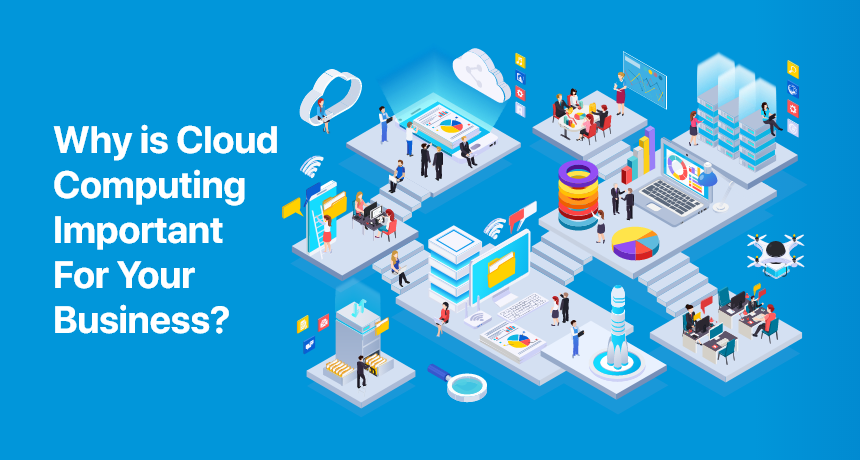
Growth today is no longer just about expanding operations. It is about how fast you can adapt, innovate, and deliver seamless experiences in an increasingly digital world. Businesses are expected to scale quickly, respond to changing customer demands, and operate without friction across systems and teams.
Off-the-shelf software often provides a convenient starting point, but it rarely evolves at the same pace as your business. What once felt efficient gradually becomes restrictive. Processes become forced, integrations break down, and teams start relying on workarounds.
This is where custom cloud applications step in not as an upgrade, but as a strategic shift toward building technology that grows with you instead of holding you back.
What Are Custom Cloud Applications?
Custom cloud applications are purpose-built software solutions designed specifically around how your business operates. Instead of adapting your workflows to match a generic system, these applications are created to reflect your processes, goals, and operational structure from the start.
Because they are hosted on cloud infrastructure, they naturally bring flexibility into your operations. Teams can access systems from anywhere, scale usage as demand grows, maintain strong security standards, and benefit from continuous updates without disrupting workflows.
Why Off-the-Shelf Solutions Eventually Fall Short
Most businesses begin with ready-made tools because they are quick to deploy and easy to access. However, as organizations grow, these solutions start revealing their limitations.
Workflows become rigid and misaligned with actual operations. Integrations with other systems require constant fixes. Some features feel unnecessary, while critical ones are missing entirely. Over time, teams compensate by adding more tools, spreadsheets, and manual processes.
This creates fragmentation.
Instead of a unified system, businesses end up managing disconnected pieces slowing down productivity and increasing operational complexity.
Custom cloud applications remove this friction by creating a system designed specifically for your ecosystem, where everything works together seamlessly.
Built Around How Your Business Actually Works
Approval chains, reporting structures, compliance requirements, and internal processes differ across industries and even between teams.
Custom cloud applications are developed after deeply understanding these nuances. This allows businesses to preserve what already works while improving inefficiencies.
Teams do not need to relearn everything or adapt to unfamiliar systems. Adoption becomes natural, training requirements decrease, and productivity improves without resistance.
When technology aligns with people instead of forcing change, performance follows.
Scaling Without Limits
Growth does not follow a fixed pattern. You may expand into new markets, onboard more users, or introduce entirely new services within a short time.
Custom cloud applications are designed with scalability at their core. They allow you to expand features, increase capacity, and handle growing workloads without disrupting operations.
Instead of rebuilding systems as you grow, you simply extend them.
Connecting Your Entire Digital Ecosystem
Modern businesses rely on multiple platforms customer relationship management tools, enterprise systems, analytics dashboards, and payment gateways.
Custom cloud applications solve this by integrating all your tools into a unified environment. Information flows in real time, reporting becomes consistent, and teams operate with a shared understanding of data.
This connectivity transforms operations from fragmented to fully align.
Security That Matches Your Business Needs
For growing companies and enterprise-level organizations, security is not optional—it is foundational.
Generic software offers standard protection, but it may not fully address your specific risks or compliance requirements.
Custom cloud applications allow you to define security on your own terms. From role-based access controls to advanced encryption and compliance frameworks, every layer can be tailored to your industry and operational needs.
This level reduces risk while gaining trust with customers and stakeholders.
Long-Term Cost Efficiency over Short-Term Savings
The off-shelf tools are more affordable. However, hidden costs emerge over time multiple subscriptions, integration fixes, inefficiencies, and lost productivity.
Custom cloud applications turn the focus from short-term savings to long-term value.
Instead of paying for features you do not use or patching together multiple systems, you invest in a single solution that delivers exactly what your business needs.
Creating a Competitive Advantage through Customization
Custom cloud applications give you the ability to build unique features, deliver tailored experiences, and innovate faster than competitors. You are no longer limited by what a platform allows you define what is possible.
This flexibility enables businesses to respond quickly to market changes and stay ahead of industry trends.
Enabling Better User Experiences across the Board
Whether it is employees, partners, or customers, every user expects systems that are intuitive and efficient.
Custom cloud applications are designed with all the users in mind. Interfaces are cleaner, workflows are smoother, and on boarding becomes faster.
When users can interact with systems effortlessly, engagement improves and operational friction disappears.
Turning Data into Actionable Insight
When data is accessible it is valuable, accurate, and actionable.
Custom cloud applications centralize your data and provide real-time visibility into performance, behavior, and trends This transition from a reactive to a proactive approach enables businesses to establish a solid foundation for long-term growth.
Preparing Your Business for the Future
As technology evolves at a fast pace, businesses that depend on rigid systems often find it difficult to adapt.
Custom cloud applications are built with flexibility in mind, allowing you to integrate emerging technologies like AI, automation, and advanced analytics as your needs evolve.
This ensures your systems remain relevant not just today, but in the future.
When Custom Cloud Applications Become Essential
Not every business needs a custom solution from day one. However, there comes a point where standard tools can no longer support growth.
This typically happens when operations become complex, scalability becomes critical, integrations become necessary, and security requirements increase.
At this stage, continuing with generic solutions creates more problems than it solves.
Custom cloud applications become the logical next step.
Faster Innovation through Continuous Development
One of the key strengths of custom cloud applications is their ability to evolve continuously. Instead of waiting for large updates, businesses can release improvements in phases, test features quickly, and adapt based on real user feedback.
This fosters an ongoing cycle of improvement, ensuring that your application consistently adapts to your business’s evolving needs and market demands. By continuously iterating and refining your system, you maintain an edge over competitors, responding more quickly to changes and positioning your business for sustained growth.
Supporting Collaboration in a Distributed World
Custom cloud applications make this possible by providing centralized access to systems, tools, and data from any location. Whether your team is based in New York, London, or Tokyo, everyone can stay connected, communicate effectively, and access the latest updates without delay.
Final Thoughts
Choosing the right technology is not just about solving current challenges it is about preparing your business for what comes next. While ready-made solutions may offer convenience in the beginning, they often fall short as your needs evolve.
Custom cloud applications provide a more strategic path forward by aligning technology with your business goals, processes, and long-term vision. They enable scalability, improve efficiency, strengthen security, and support continuous innovation.
To explore tailored cloud solutions, visit:
http://www.devsinc.com/
An Overview of Phototune: AI Tools for Creating and Enhancing Images
A task-based approach to image work
Most people don’t wake up thinking, “I want to edit an image.” They want a cleaner product photo, a sharper thumbnail, or a background that doesn’t distract from the subject. The editing itself is just a step in between. That’s the angle from which Phototune makes sense.
Instead of presenting a complex workspace full of panels and sliders, the platform is structured around specific outcomes. You choose what you need: remove a background, enhance quality, delete an object, clear a watermark, or generate something entirely new. Each task lives on its own page, with its own straightforward upload-and-process flow.
This kind of structure matters more than it seems. When someone is preparing ten product photos for an online store, the difference between “open editor and figure it out” and “upload, select action, download” becomes very real. The friction adds up.
Generating images when there is no photo yet

Not every project starts with a camera file. Sometimes you only have an idea — a scene, a mood, a concept for a blog header or a Pinterest visual. In those cases, an AI image generator fills the gap.
Inside Phototune, image generation is treated as its own tool rather than an add-on. You type a description, adjust basic settings like style or ratio, and receive visual variations. For creators working on YouTube thumbnails or marketers drafting ad concepts, this can function as a sketchbook. It’s not about perfection on the first try; it’s about exploring directions quickly.
What makes this useful in practice is iteration. You can test a minimal background, then try a more dynamic scene. If one version feels too busy, you simplify the prompt. The process becomes conversational rather than technical.
Cleaning and refining existing photos

Where the platform becomes especially practical is in photo correction. Background removal is one of the most common tasks. A seller with handmade products might photograph items on a kitchen table, only to realize later that the background feels cluttered. With a dedicated removal tool, the subject is separated and can be placed on a neutral or stylized backdrop.
Quality enhancement works similarly. A slightly blurry or low-resolution image doesn’t always need to be discarded. Upscaling and sharpening can restore clarity for web use. This is helpful when resizing for banners or cropping tightly for social media formats.
There’s also an object remover designed for small corrections. Imagine a café interior photo with a distracting sign on the wall. Instead of rebuilding the scene manually in a traditional editor, you highlight the unwanted area and let the system reconstruct the texture. It won’t replace advanced retouching in every scenario, but for everyday fixes it often does enough.
Handling watermarks and visual interruptions

Watermarks can complicate early-stage workflows. Sometimes you’re reviewing drafts or mockups that include overlay marks. Before deciding whether to license or publish an image, you may want to see how it looks clean.
Phototune includes a focused tool for that situation. The process stays narrow: upload the image, mark the area if needed, and preview the adjusted version. If you need to remove a watermark from a photo, the goal is not to transform the image but to restore continuity in the affected area so you can evaluate it properly.
In business contexts, this tends to show up during content planning. A marketing team testing layouts for Facebook ads or an ecommerce seller comparing listing visuals might want a clearer preview before finalizing assets. The removal step becomes part of internal preparation rather than a separate technical project.
Why the “all-in-one” structure changes the workflow
The key advantage of Phototune isn’t that it does something entirely new. It’s that related tools live in the same environment. Generation, cleanup, enhancement, and object removal are part of one ecosystem. That reduces the mental shift between steps.
A practical example: a designer generates a concept image, enhances it slightly for clarity, removes a small unwanted detail, and exports it — all without switching platforms. The sequence feels linear. There’s no need to convert formats or relearn interfaces halfway through.
For creators, small businesses, and teams handling their own visuals, that continuity matters. It keeps attention on the idea rather than the software. And over time, that shift — from tool management to visual decision-making — is what actually simplifies online image editing. Read More
What Is SSSX.io? A Closer Look at the X Video Downloader
A tool built around one specific task
SSSX.io is a browser-based utility created for downloading public videos from X, previously known as Twitter. It does not function as a content platform or media host. Its purpose is limited and very clear: take a public post link and generate a downloadable MP4 file.
There is no account registration. No software installation. No extensions required. The interface is minimal because the workflow is minimal. You copy the post URL, paste it into the field, and the system processes the available video streams.
That narrow focus is part of the appeal. Many users prefer tools that perform a single task reliably instead of offering complex dashboards.
How the download process works
When a public X link is inserted, the system scans the post for available video sources. If the upload includes multiple resolutions, they appear as selectable options.
Typical workflow looks like this:
- Copy the link to a public video post on X
- Paste the link into the input field
- Wait while available video qualities are detected
- Select the preferred resolution
- Download the MP4 file
The file is delivered in MP4 format, which works across operating systems without additional conversion.
On desktop devices, the video usually appears in the default Downloads folder. On Android, it is stored in standard device storage. On iPhone, the file can be saved in the Files app and accessed offline later.
Many users interact with sssx.io only for a few seconds per session. Paste. Choose. Download. Close the tab.
Common reasons people download videos from X
Not everyone downloads content for the same reason. Some examples are practical.
Content creators often archive viral clips to study structure and pacing. They pause at specific timestamps and examine how captions are timed or how the message is introduced.
Journalists sometimes preserve public posts for documentation. Researchers build small collections of reference material. Even regular users may want offline access during travel or limited connectivity.
Here are typical use cases:
- Offline viewing without relying on network access
- Archiving public clips for research
- Studying viral content structure
- Saving educational or instructional videos
- Keeping personal collections of memorable posts
In these scenarios, using an SSSX video downloader simplifies the workflow.
Key features at a glance
Below is a summary of what the tool offers and what it does not.
| Feature | Description |
|---|---|
| Public video support | Works with publicly accessible X posts |
| MP4 format | Downloads videos in a widely compatible format |
| Browser-based | No installation required |
| Multi-device support | Compatible with desktop and mobile browsers |
| No login required | Does not request X credentials |
| No private content access | Cannot retrieve restricted posts |
Video quality depends entirely on the original upload. If the source was compressed, the downloaded file will reflect that. The tool does not enhance resolution beyond what is available.
What SSSX.io is not
It is not affiliated with X. It does not host video libraries. It does not store personal media collections.
It operates as a standalone utility that processes publicly available video data when a valid link is provided.
Users remain responsible for respecting platform policies and copyright considerations when handling downloaded media.
A practical utility rather than a platform
The reason people return to tools like SSSX.io is usually convenience. The process is predictable and short. There are no extra layers between the user and the file.
Instead of scrolling back through timelines or relying on bookmarks, the video is already stored locally and can be viewed without an internet connection.
For users who regularly save public clips from X, a focused browser tool tends to integrate naturally into their routine. It performs one function and then steps aside. Read More
That simplicity is ultimately what defines SSSX.io.
-

 Business2 months ago
Understanding Asbestos Trust Funds and Compensation
-
 Technology3 months ago
Sosoactive: The Future of Digital Engagement and Authentic Social Connectivity
-

 Travel3 months ago
Adventure-Filled Best Family Road Trip Destinations Families Love
-
 Blog3 months ago
Onnilaina: The Future of Fast and Secure Online Loans 2025-2026
-

 Life Style2 months ago
Who is Monika Leveski? A Day in the Life of a Rising Star
-
 Blog4 months ago
UnbannedG+: A Community Reborn and What It Means for Users
-
 Fashion3 months ago
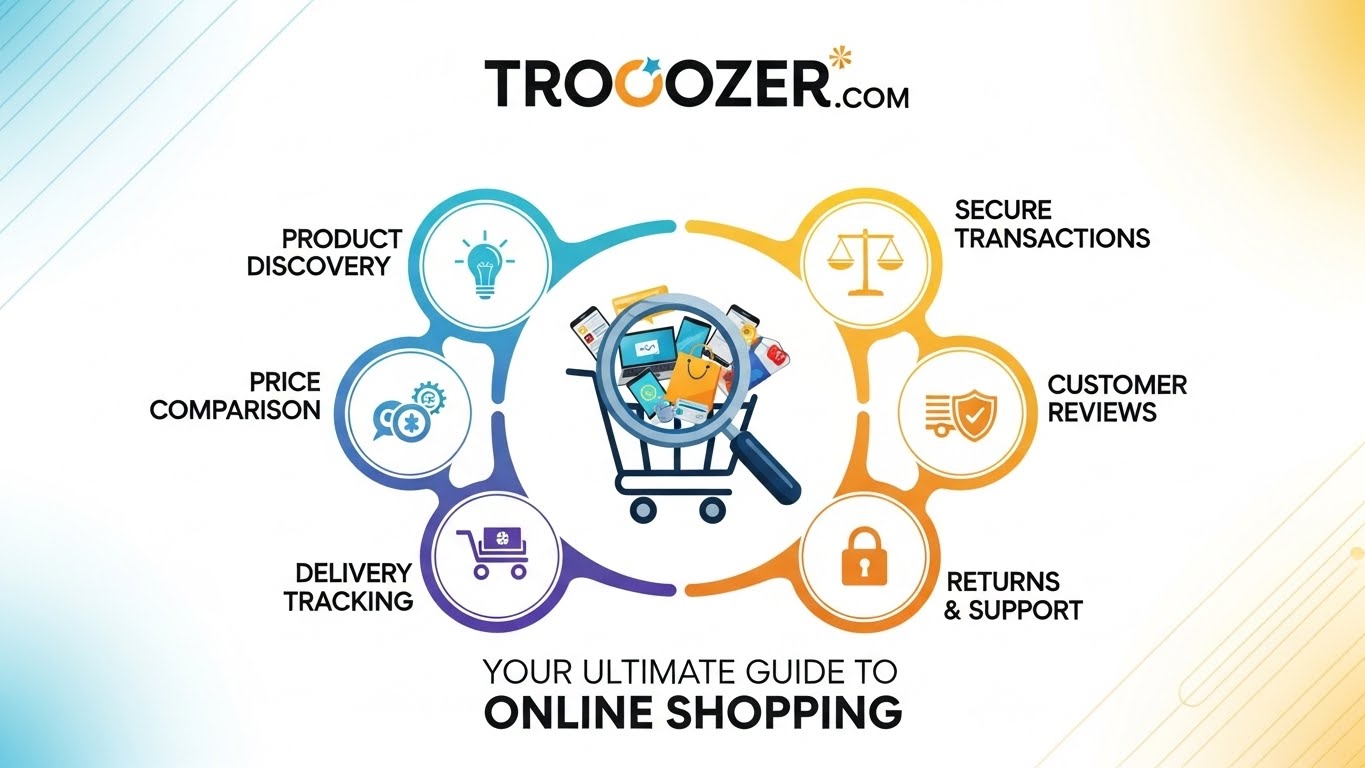
Troozer com: Your Ultimate Guide to Online Shopping
-

 Business3 months ago
MyGreenBucks Kenneth Jones: Empowering Your Financial Future